
Redlining
Using the Redline XTensions software, users of QuarkXPress, QuarkCopyDesk, Quark Author Web Edition and Quark Publishing Platform Web Client can track changes to text in projects and articles. In a Quark Publishing Platform workflow, additions, deletions, and changes can all be tracked, and changes can be accepted or rejected. Outside of Quark Publishing Platform, users can use redlining to track changes to shared projects and articles. To learn how to use the full list of redlining controls in QuarkCopyDesk, refer to A Guide to QuarkCopyDesk. This chapter covers redline controls in a Quark Publishing Platform workflow.
In order to be able to use the Redlining feature, a user must have the necessary privileges. For more information, see Content privileges: Edit Redlining.
Using Redline controls
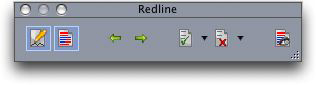
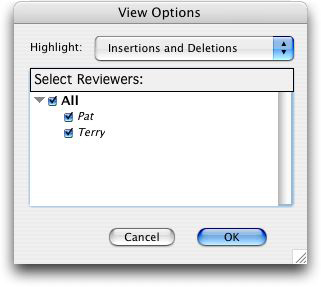
The commands in the Redline submenu (Utilities menu) are Tracking, Highlighting, and Show/Hide Toolbar. The Redline Toolbar also includes the Tracking and Highlighting commands, as well as controls for navigating through changes, accepting or rejecting changes, and setting options for displaying changes.
Text formatting changes are not tracked.