
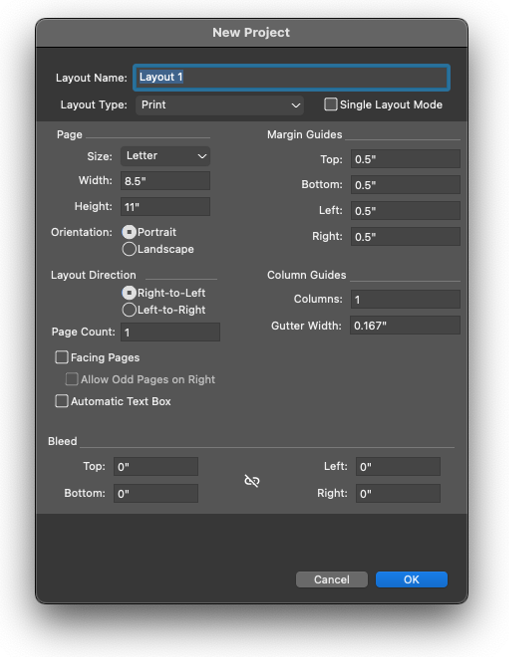
Layout Direction
In the New Project dialog, QuarkXPress provides support for two types of Layout Direction settings in Middle Eastern Configuration:
-
Right-to-Left
-
Left-to-Right
In a RTL-facing page layout, the first page begins from the left of the spine, while the second page is on the right of the spine, and subsequent pages are added in a similar manner. In a LTR-facing page layout, the first page begins from the right of the spine, while the second page is on the left of the spine, and subsequent pages are added in a similar manner.
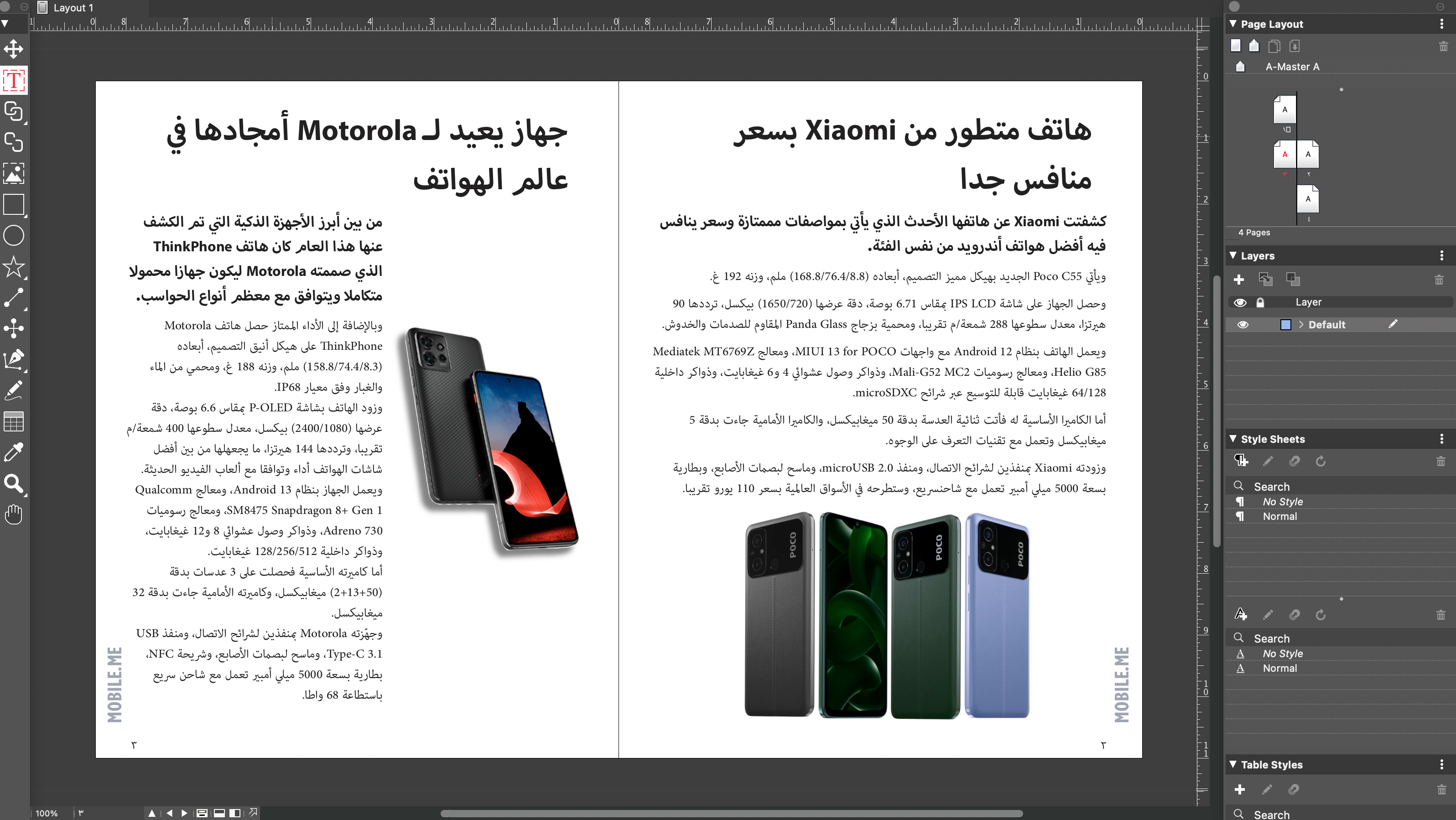
If your workflow primarily revolves around only RTL language text or RTL language
text with a small amount of LTR language (like English) text interspersed, you need
to create a project with an RTL layout.
If your workflow primarily revolves around only LTR language (like English) text or
LTR language text with a small amount of RTL language text interspersed, you need
to create a project with an LTR layout.
A project can only contain layouts of the same layout direction, for example, if it contains
an RTL Layout, you can only add new layouts with the Right-to-Left direction.
To know more about Working with Layouts, refer to the QuarkXPress User Guide.