Right-to-Left Palette
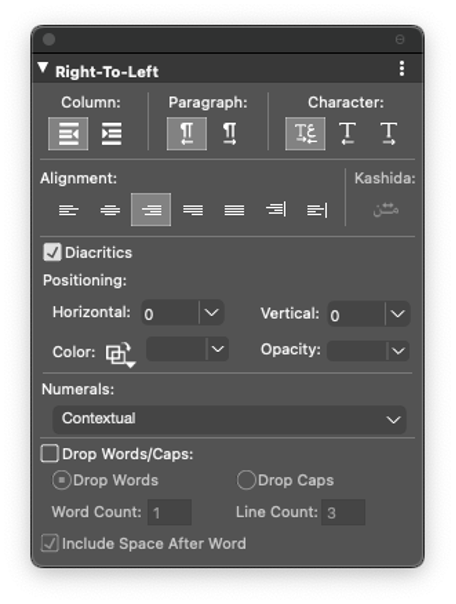
QuarkXPress now provides a dedicated palette called ‘Right-to-Left’ to ease the application of different attributes for RTL and LTR language text. The Right-to-Left palette is available under the Windows menu. It is open by default in Middle Eastern configuration. You can use the Right-to-Left palette to locally modify the following attributes:
-
Column Direction
-
Paragraph Direction
-
Character Direction
-
Paragraph Alignment
-
Justification
-
Different Diacritic attributes (Show/ Hide diacritic marks; Manual positioning of diacritic marks; Define color, shade, opacity of diacritic marks)
-
Numeral format
-
Drop Words/ Caps