Right-To-Left Attributes in Character Style Sheet
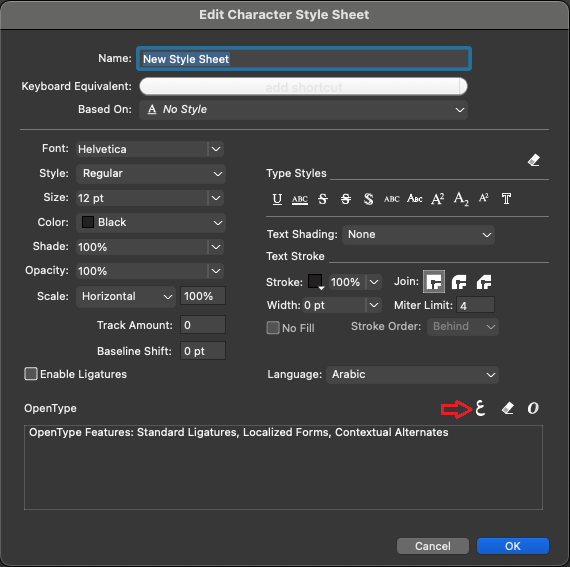
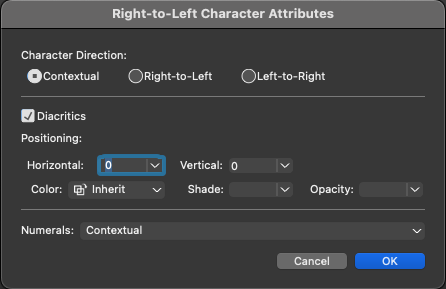
You can now define RTL character attributes in Character Style Sheet. Click on the Right-to-Left Character attributes button in the Edit Character Style Sheet dialog to invoke Right-to-Left Character Attributes dialog. You can define the following character attributes in this dialog, namely:
-
Character Direction
-
Different Diacritic attributes (Show/ Hide diacritic marks; Manual positioning of diacritic marks; Define color, shade, opacity of diacritic marks)
-
Numeral format