Working with dialogs
QX.js includes the dialogs module which supports four important types of modal dialog boxes on the same lines of JavaScript. These dialog boxes can be used to raise an alert, get confirmation on any input, receive input from users, and to have a dialog with the custom input field.
Dialog modules also override the default alert, prompt, and confirm dialogs available in the global space of JavaScript.
Alert dialog box
An alert dialog box is generally used to show a warning message to users. For example, if one input field requires that the user enter some text, but the user does not provide the input, then as a part of validation, you can use an alert box to show a warning message.
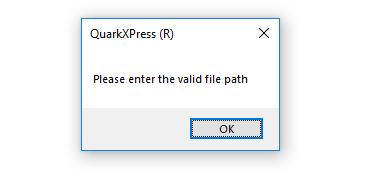
An alert box can also be used for friendlier messages. An alert box provides only one button, OK to proceed.
app.dialogs.alert("Please enter the valid file path")
or
alert("Please enter the valid file path")
Confirmation dialog box
A confirmation dialog box is generally used to receive a users consent for an option. It displays a dialog box with two buttons: OK and Cancel.
If the user clicks the OK button, the Window method confirm() will return true. If the user clicks the Cancel button, then confirm() returns false.
You can use a confirmation dialog box as follows:
var retValue = app.dialogs.confirm("Do you want to continue?");
or
var retValue = confirm("Do you want to continue?");
retValue ? console.log("User wants to continue! ") : console.log("User does not want
                                 to continue! ");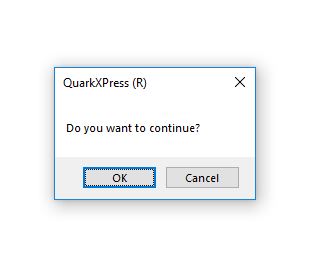
Prompt dialog box
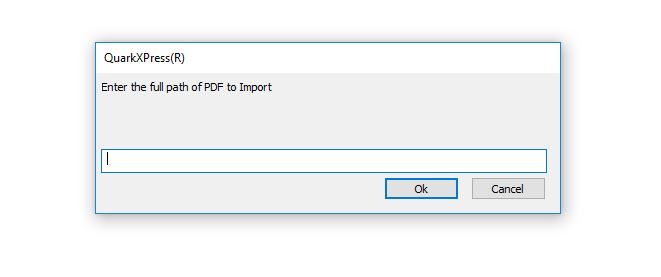
The prompt dialog box is very useful when you want to pop-up a text box to get user input. This enables you to interact with the user. The user is required to fill in the field and then click OK.
This dialog box is displayed using a method called prompt() which takes two parameters:
-
(i) a label you want to display in the text box
-
(ii) a default string to display in the text box.
This dialog box has two buttons: OK and Cancel. If the user clicks the OK button, the dialogs module method prompt() returns the value the user entered into the text box.
If the user clicks the Cancel button, the dialogs module method prompt() returns null.
var pdfFilePath = app.dialogs.prompt("Enter the full path of PDF to Import")
or
pdfFilePath = prompt("Enter the full path of PDF to Import")
pdfFilePath ? console.log(pdfFilePath) : console.log("Error");