
Introduction to QuarkXPress Markup Language (QXML)
The QuarkXPress Markup Language (QXML) is the JavaScript programming interface for
accessing a QuarkXPress layout's object model. Every QXML DOM element is a custom
HTML5 element that represents a corresponding QuarkXPress layout object with a custom
tag name along with its properties and styling. Every element starts with namespace
'qx-'
Get QXML DOM
Use the app.activeLayoutDOM() or app.activeBoxesDOM()API methods to get the XML DOM.
QXML DOM structure
A basic QXML DOM looks like this:

Mapping with QuarkXPress objects:

QXML Elements
Various QXML elements are:
Element Name |
Description |
|
|
Represents layout |
|
|
Represents layer |
|
|
Represents spread |
|
|
Represents page |
|
|
Represents box |
|
|
Represents story within a box |
|
|
Represents paragraph in a story |
|
|
Represents text within paragraph |
|
|
Represents an image |
|
|
Represents hyperlink for both text as well as box |
|
|
Represents a hyperlink anchor |
Style QuarkXPress layout objects
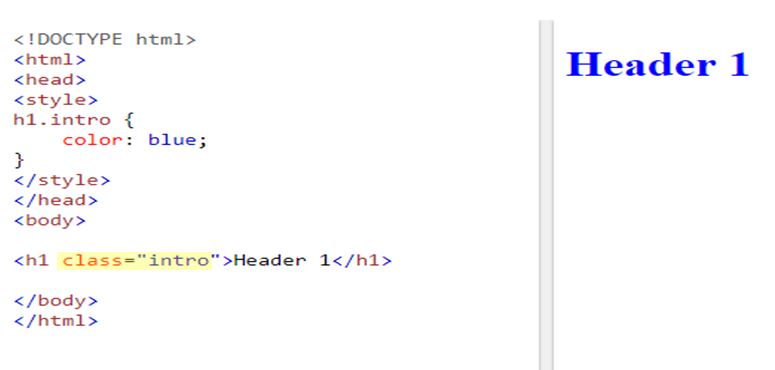
The 'class' attribute in HTML
HTML class attribute specifies one or more CSS class names for an element:
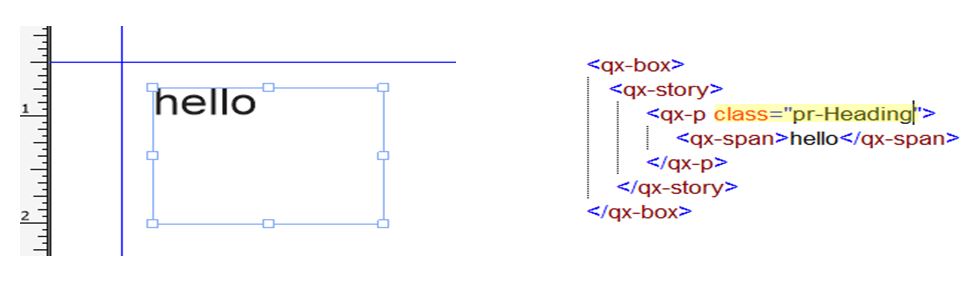
Using the HTML 'class' attribute in QXML
All QuarkXPress resources (Paragraph Style Sheets, Character Style Sheets, Item Styles
etc.) can be referred through the HTML class attribute:
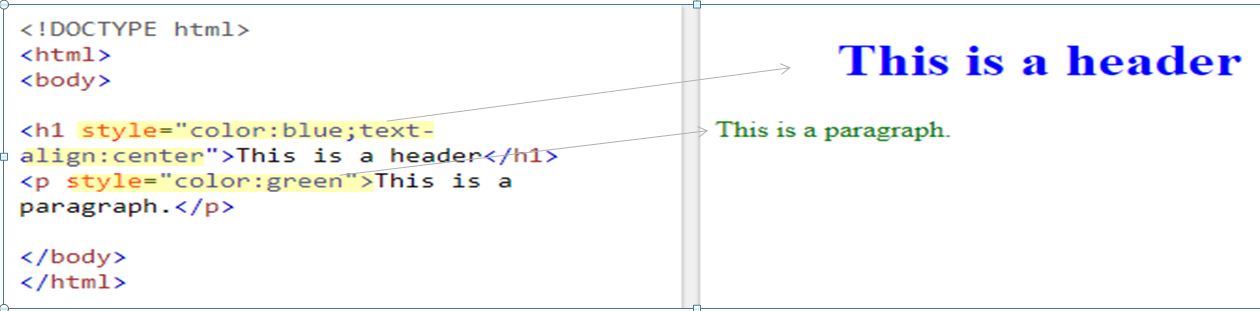
The 'style' attribute in HTML
HTML style attribute specifies an inline style for an element. The value of the style attribute contains CSS
property-value pairs: "property: value;". You can have as many property value pairs as you want, each separated by semicolon.
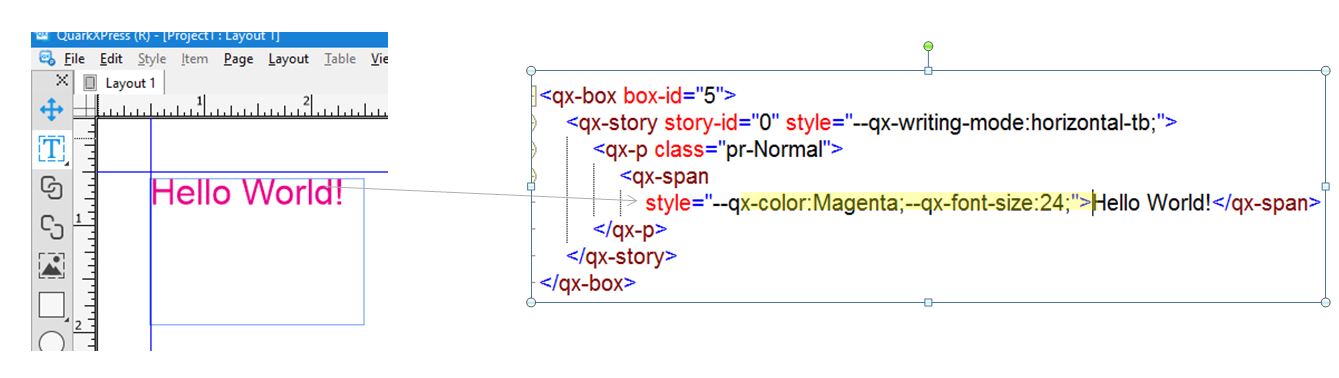
Using the HTML 'style' attribute in QXML
Similarly, inline styling for each element in QXML is specified by the HTML style attribute. We have extended the CSSStyleDeclaration Object and added custom CSS properties with starting with namespace '--qx-':
QXML DOM manipulations and API calls
Some of the use cases like script to create a box on a layout of an existing project and save the project require mixing of QXML DOM manipulations (create a box on a layout of an existing project) and API calls (save the project). Since all QXML DOM operations are asynchronous in nature, as per JavaScript even loop concepts , all the API calls need to placed in a JavaScript Promise Object:
var layout = app.activeLayoutDOM()
var newBox = document.createElement("qx-box");
newBox.setAttribute("box-content-type", "text");
newBox.style.qxLeft = "0.5in";
newBox.style.qxRight = "4in";
newBox.style.qxTop = "6in";
newBox.style.qxBottom = "8in";
newBox.style.qxPage = 1;
var pages=layout.getElementsByTagName('qx-page')[0];
pages.parentNode.appendChild(newBox);
Promise.resolve().then(function() {
     app.activeProject().saveProject();
})