
Attributes
This section provides details on all attribute-related features and capabilities that Quark Publishing Platform NextGen Adapter for Quark XML Author offers.
Document Attributes
Document attributes do not apply to content elements within a document.
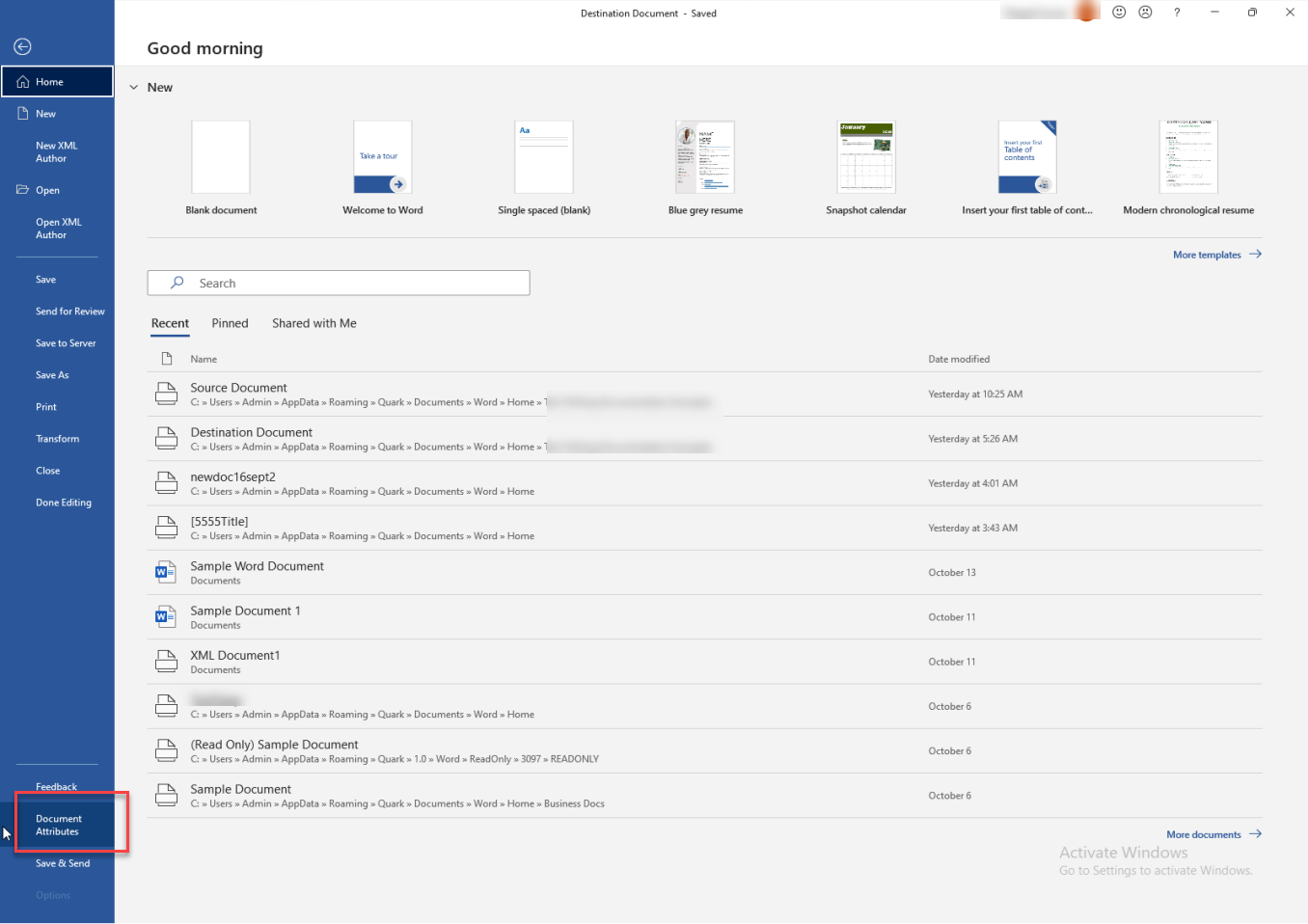
To add/change document attributes:
-
Select File > Document Attributes.
-
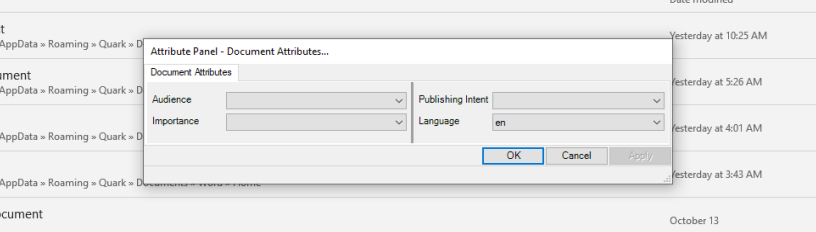
In the dialog box Document Attributes, make the following selections:
-
Audience: Set the audience of your document to internal or external.
-
Importance: Set the priority of your document.
-
Publishing Intent: Select the platform you want to publish your document for, for example, Web, Email, Print, and so on.
-
Language: Set the language of your document.
-
-
Select OK.
Content Element Attributes
You can add/change attributes of content elements, such as paragraphs, lists, images, and inline elements/emphasis.
To add attributes values to a content element:
-
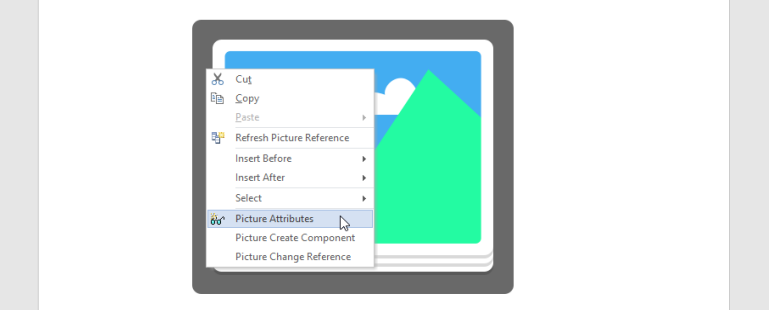
Right-click on the element you want to specify attributes of.
-
In the context menu, select {content element name} Attributes.
-
In the Attribute Panel, specify attribute values and then select OK. You can type a value or select a value from a drop-down list.
The Attribute Panel dialog box dynamically changes to display the attributes specific to the selected content element. Each tab displays a category of attributes. For example, an image has a Horizontal Alignment attribute that is used by the publishing engines to know where to place an image in the publication.