
Deployment instructions
Before you begin:
-
Close any open Platform server files.
-
Stop the Quark Publishing Platform Server.
-
Make a backup of existing Platform Server folders and data (recommended, but optional).
Deployment steps:
-
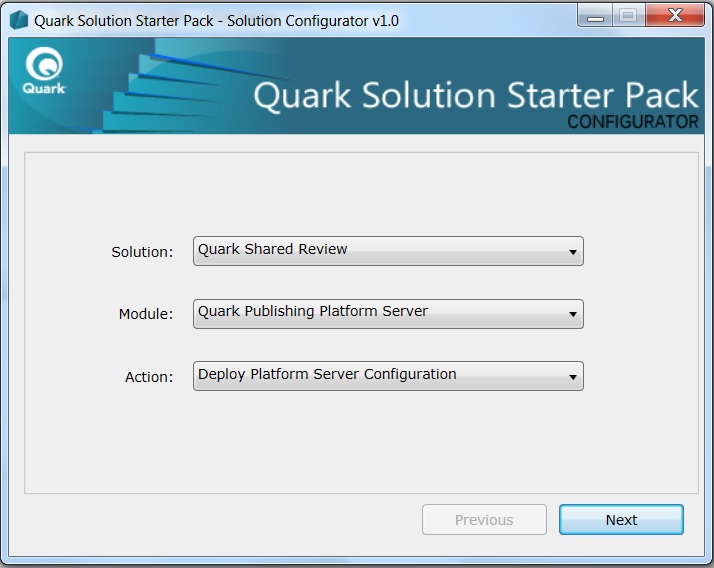
Launch the Solution Configurator and make the following selections:
-
Choose your solution from the Solution drop-down menu.
Quark Shared Review is shown in the example. -
Choose Quark Publishing Platform Server from the Module drop-down menu.
-
Choose Deploy Platform Server Configuration from the Action drop-down menu.
-
-
Click Next.
-
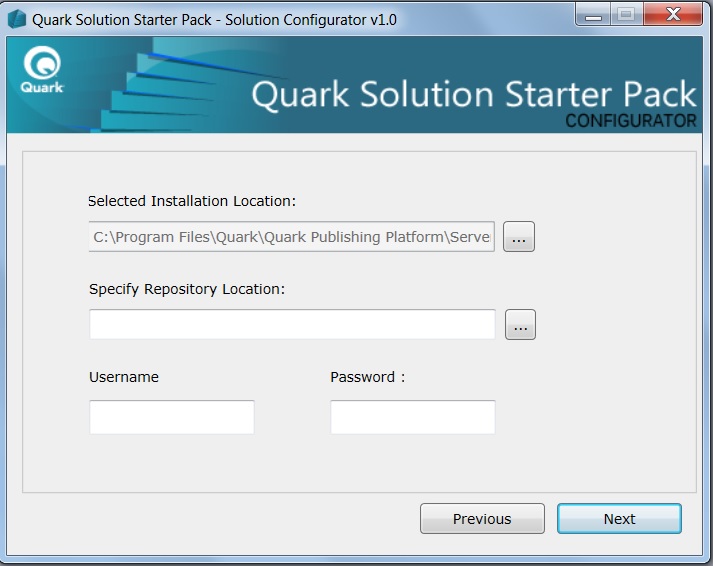
Select an installation location. This step is mandatory even though it may already show your correct installation path.
-
Click … to browse the server file system.
-
Select the server installation folder for "Quark Publishing Platform."
-
Click OK.
-
-
Select the repository location. This step is only required when you have not already configured the repository path in your Platform installation (the field can remain blank). If you select a repository path, your Platform repository path will be updated during solution setup.
-
Click … to browse the server file system.
-
Select the desired data repository path.
-
Click OK.
-
-
Add the Platform user name and password to be used while installing the solution configuration (typically the administrator account).
-
Click Next.
-
Deploy the solution:
-
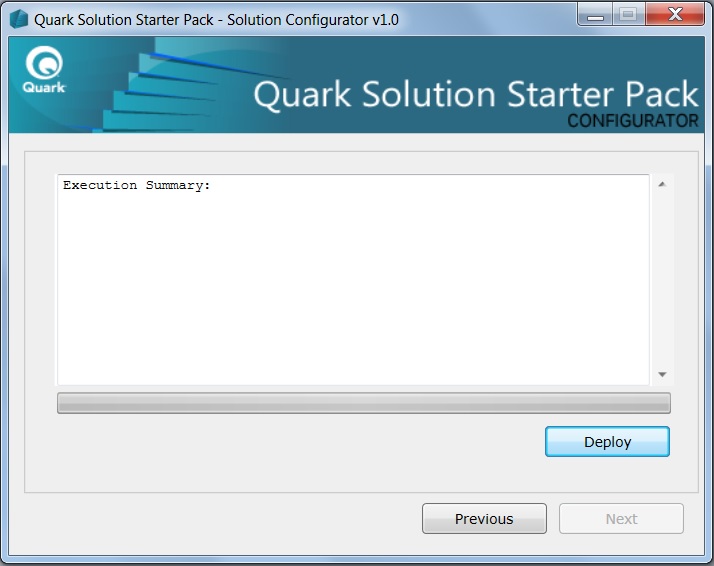
Click Deploy.
-
Review the installation summary under Status Info. The solution typically deploys in a few seconds.
-
Click Home.
-
-
Validate your deployment:
-
Start Quark Publishing Platform.
-
Confirm that no errors appear in the Platform Server logs.
-