
Authoring Template and its Integration with Main Document
Understanding the Authoring Template
An authoring template is a predefined template that contains various layout options, styles, and configurations that dictate how the content should be presented. By using an authoring template, you can ensure consistency across multiple documents, making it easier to manage styling and formatting.
Using the Authoring Template with the Main Document
Steps to integrate the Authoring Template
-
Creating the Authoring Template
-
Start by creating a new document of content type Smart Document.
-
Configure the required Layout Options for this document, setting up values such as:
-
Document-level layout options
-
Section-level layout options
-
Paragraph and region-specific layout options
-
Any specific settings needed for table, figure, and image elements
-
-
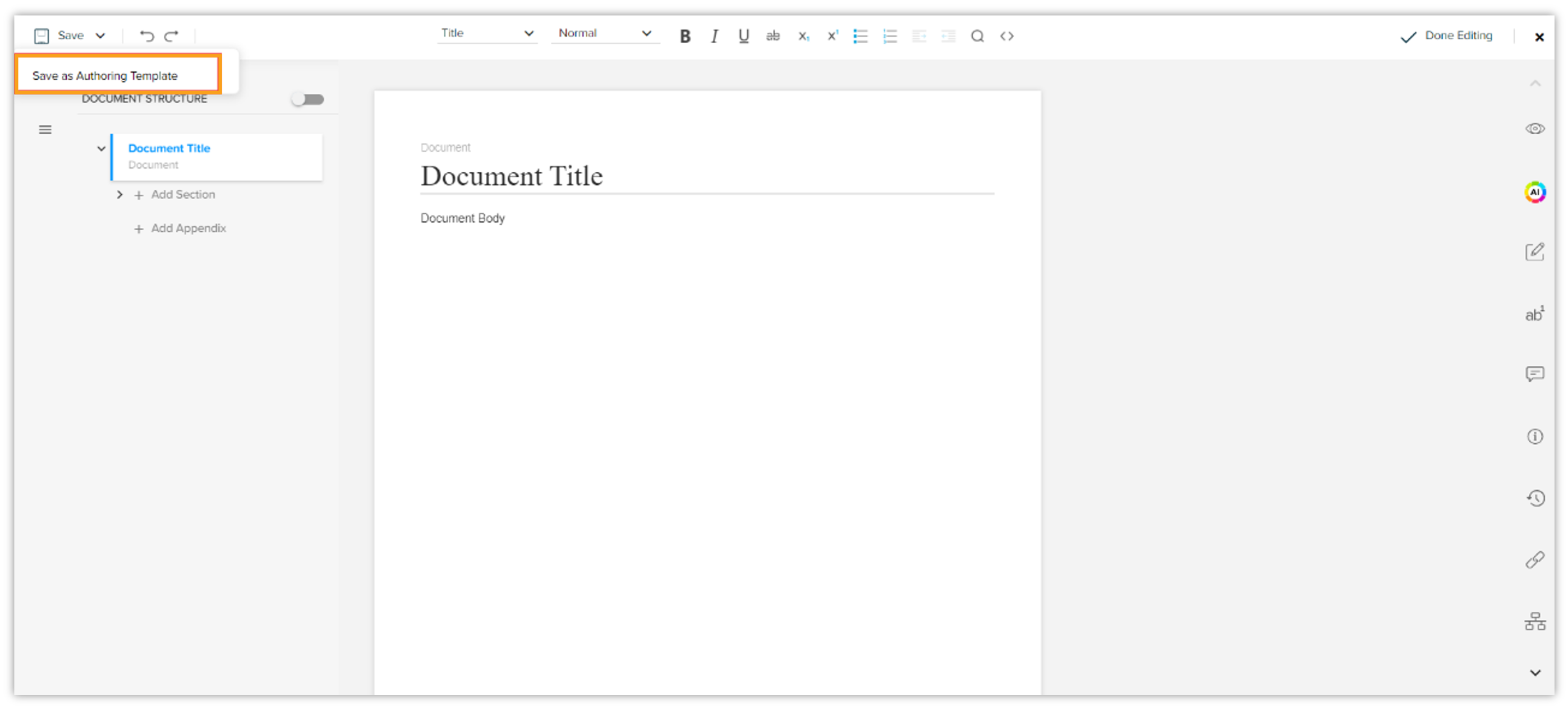
After defining these layout options, save the document as an Authoring Template. This template will now act as a reference for creating new documents with predefined styles and layout options.
-
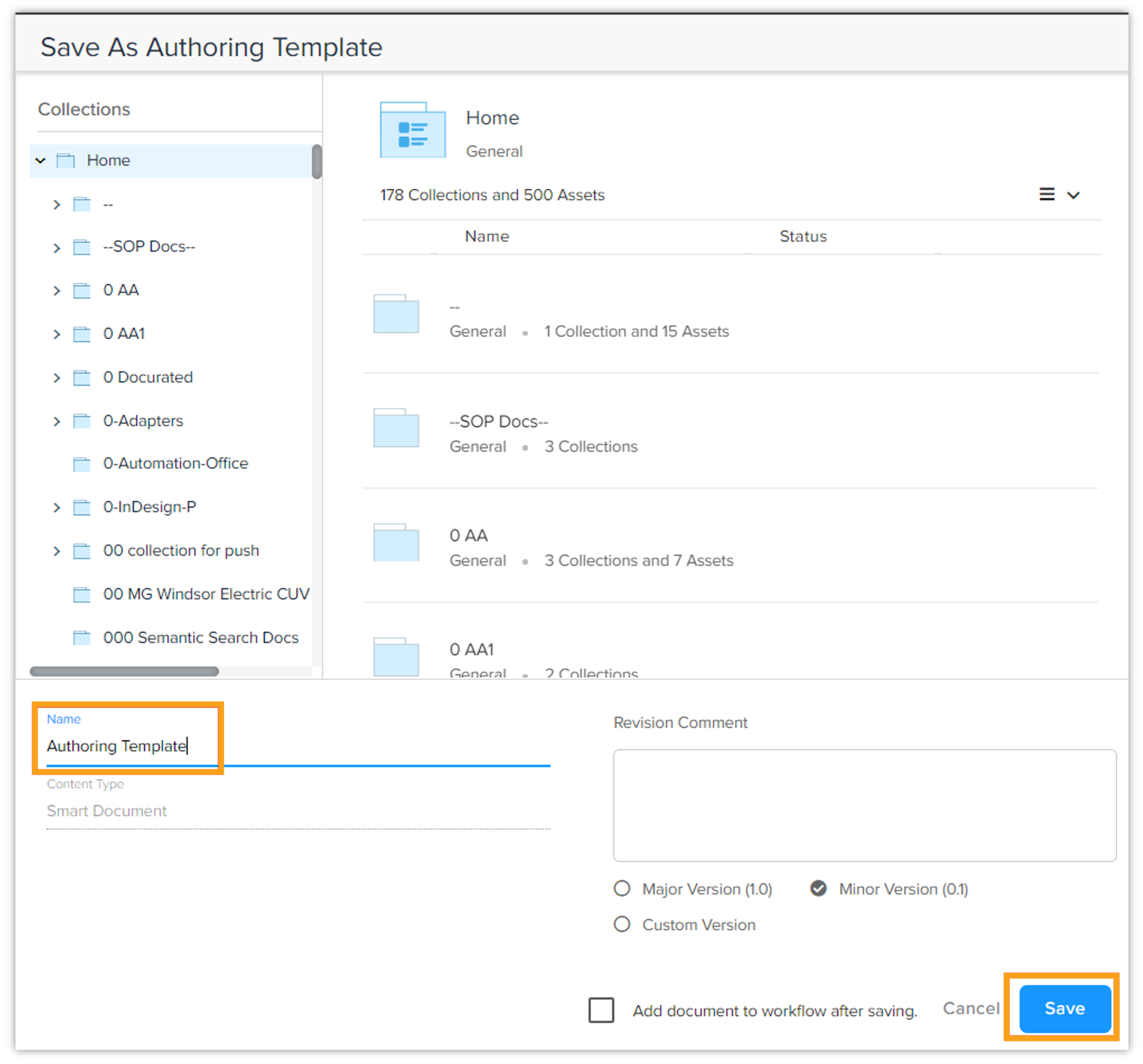
You can keep any suitable name for the authoring template and save it in a collection.
-
-
Creating a new document from the Authoring Template
-
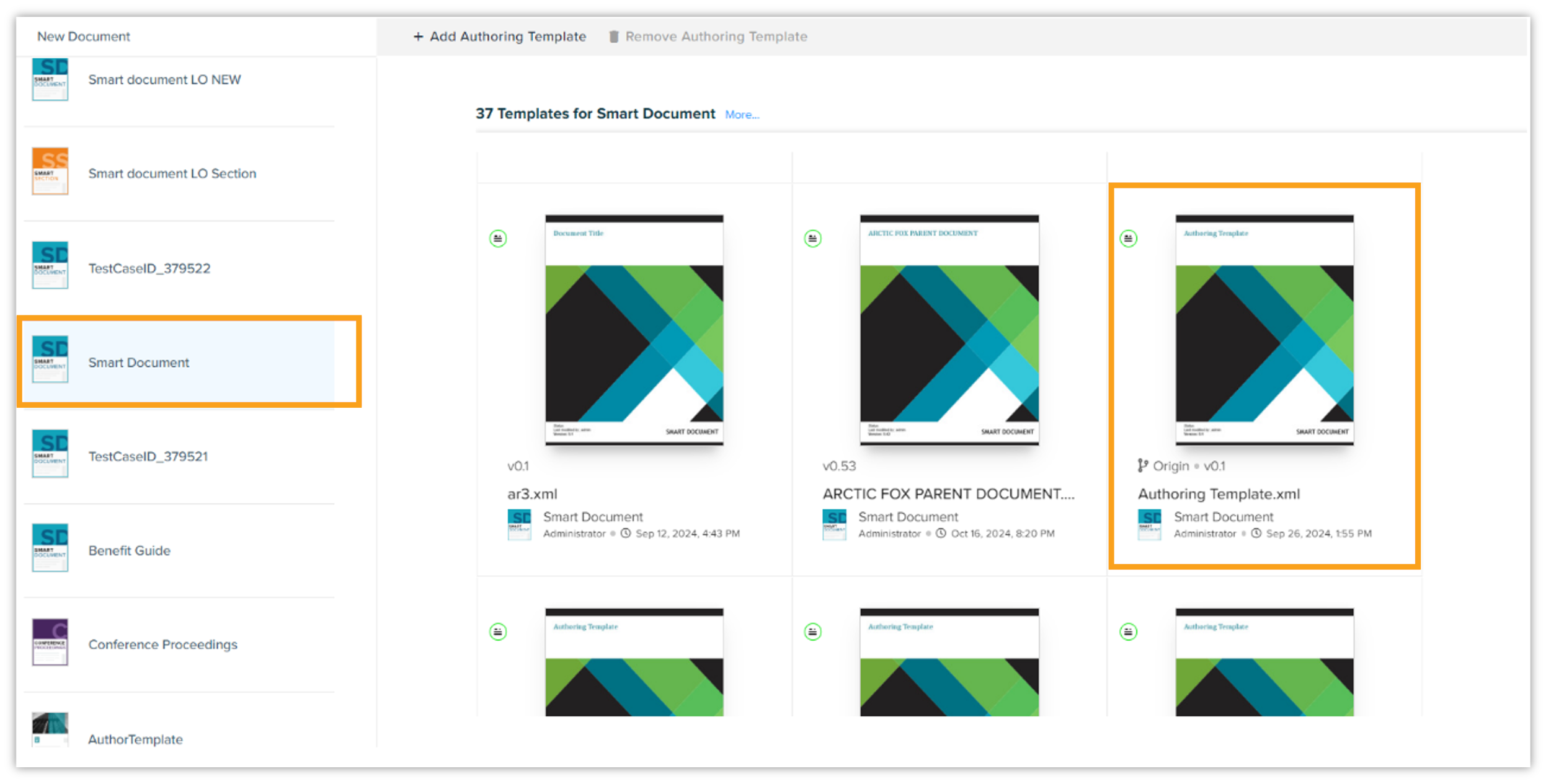
When creating a new document, create a document using authoring template.
-
The newly created document will inherit the layout options and settings defined in the authoring template.
-
The new document created retains all the layout options and settings set within the authoring template itself. You'll also be able to see the authoring template link in the Links and References tab.
-