
Word Reviewer
Word Reviewer for Quark Publishing Platform Adapter for Quark XML Author works in conjunction with the QPP Server and allows authors and editors to share, review, edit and incorporate changes made to a document via comments and track changes in Microsoft Word without installing QPP Adapter for Quark XML Author.
Send a Document for Review
You can only send a document for review after you have saved it to the server.
To send a Quark Publishing Platform Adapter for Quark XML Author document for review:
-
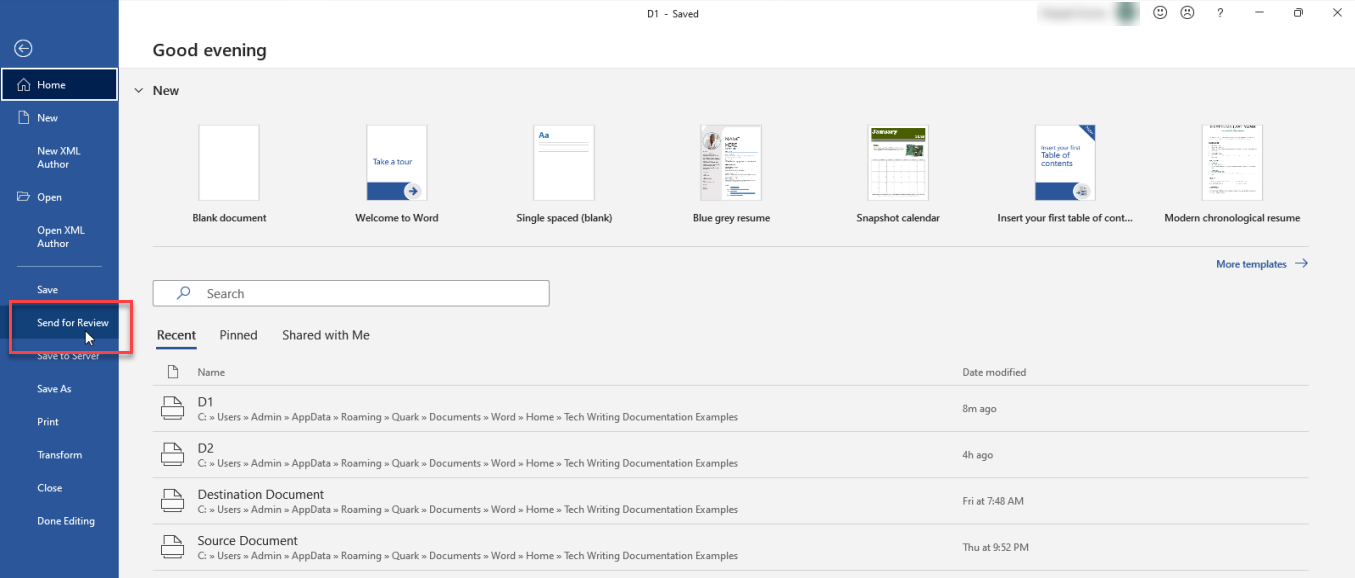
Select File > Send for Review to open the dialog box Save.
-
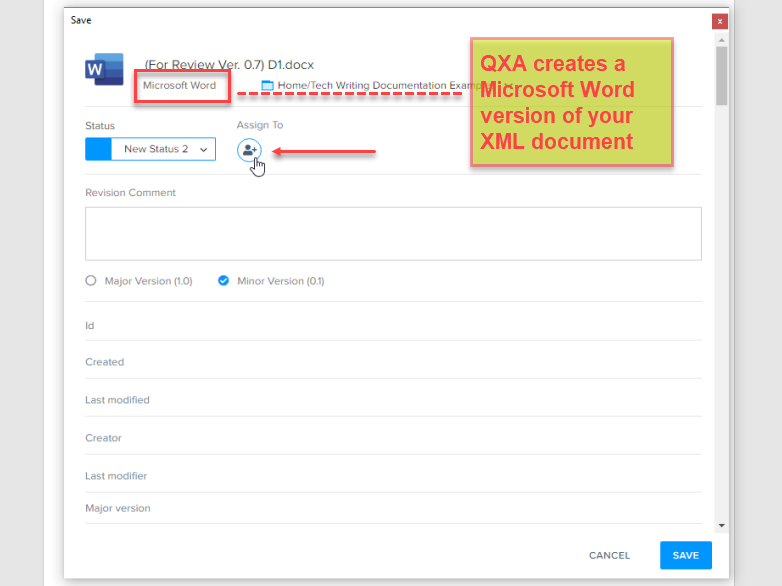
QPP Adapter for Quark XML Author prepares a Microsoft Word copy of the document for you to send for review. Select a workflow then expand the Assign To dialog box.
-
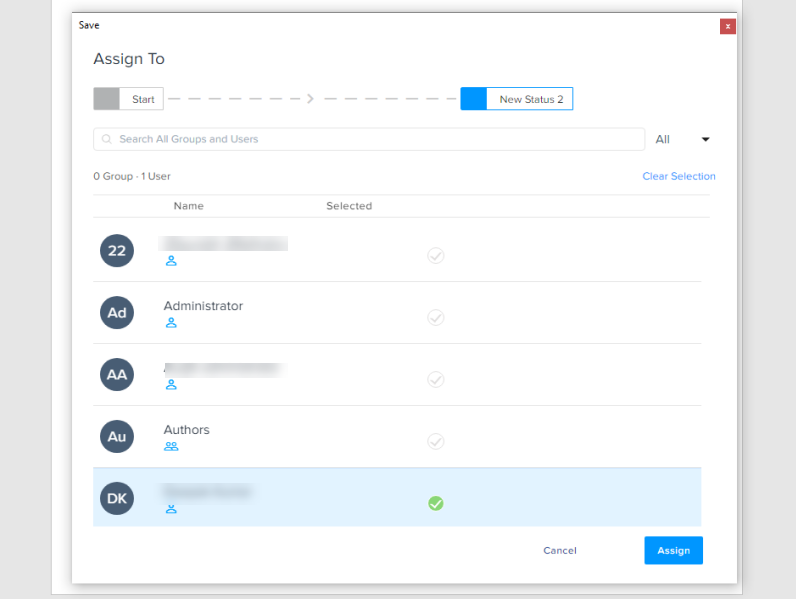
Select the user you want to send your document for review and then select Assign.
-
Select Save in the dialog box Save.
QPP Adapter for Quark XML Author closes both the .docx file and the XML document and checks in both to the repository.
Review a Document in Word Reviewer
To review a document through Microsoft Word:
-
Open the server in a browser window.
-
Login to the server (as the user who has been assigned the document for review).
-
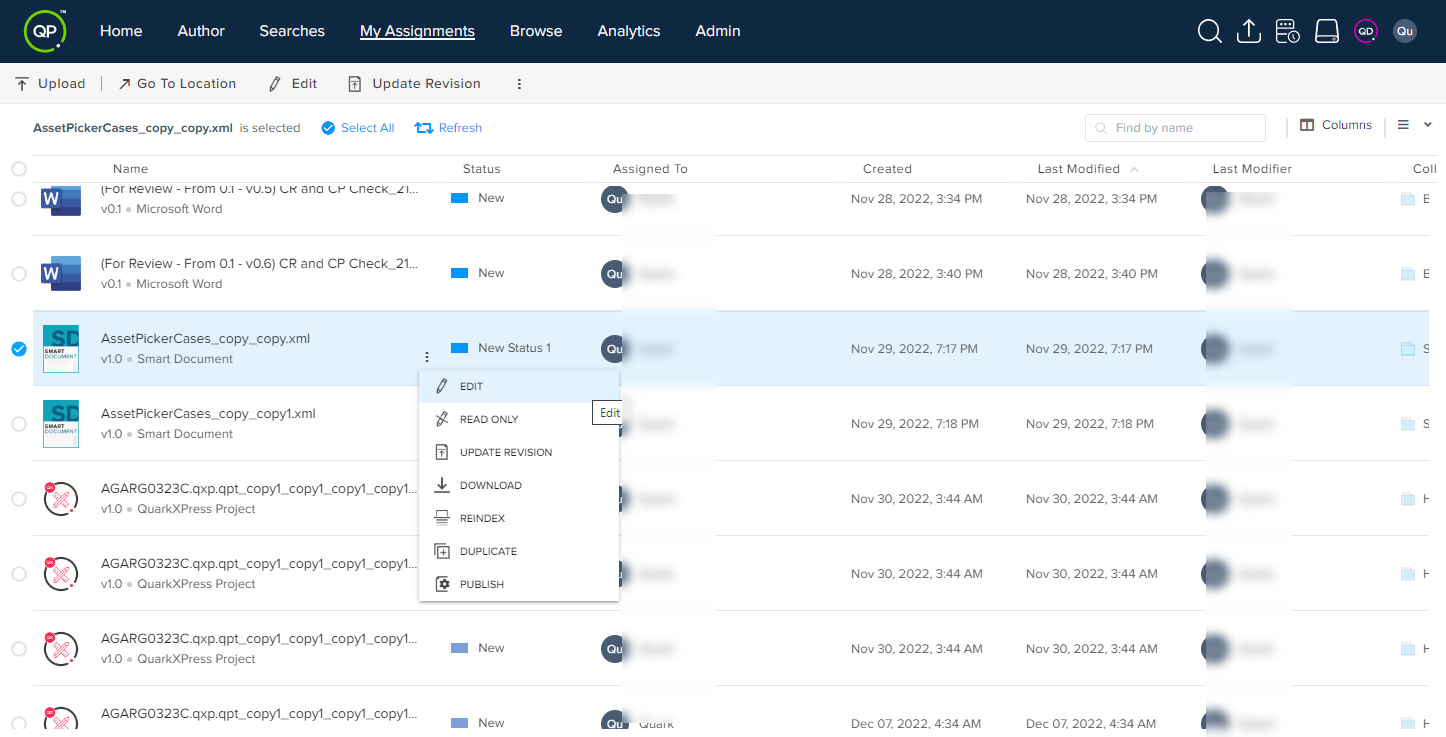
In the tab My Assignments, select the document that you want to review.
-
Select the kebab menu icon
 next to the file name and then select Edit to check out the document for editing.
-
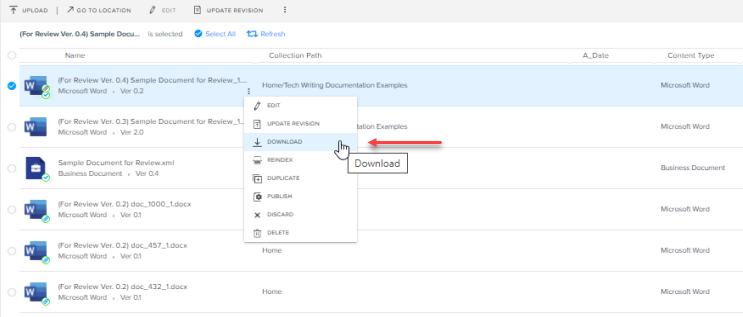
Select Download and then select a location on your local machine where you want to store the document.
-
Go to the location on your local machine where have saved the document and open the document in Microsoft Word.
-
Make your edits.
-
Select File > Save and then close the file.
-
Go to the browser window where you have opened the server, select the kebab menu icon
next to the file name, and then select Update Version.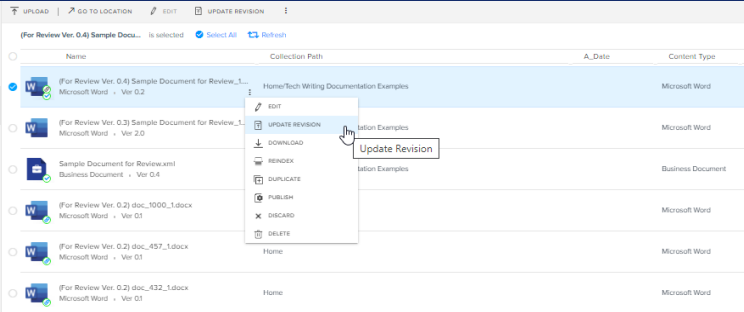
-
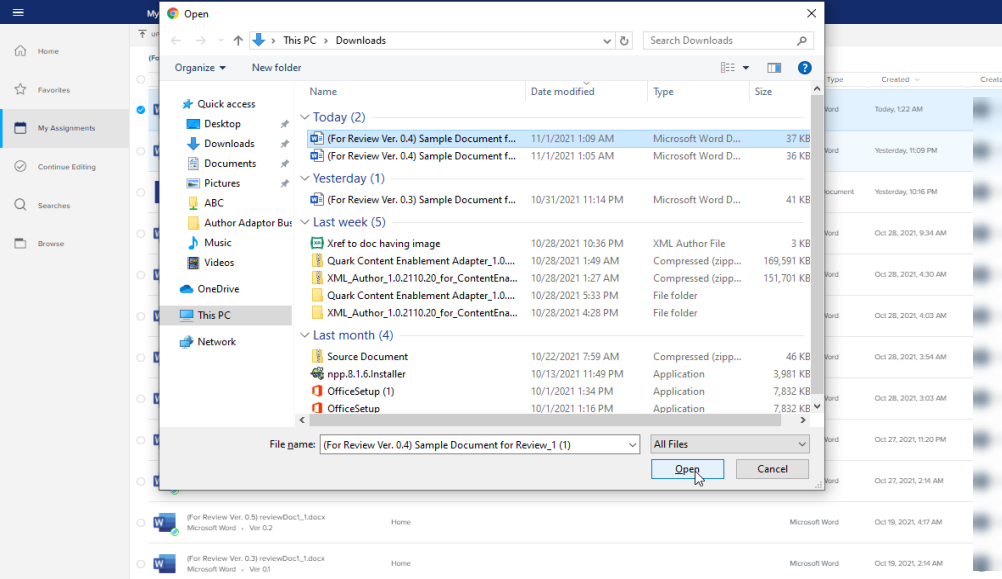
Select the document file you have updated and saved on your local machine, and then select Open.
-
Select Save in the dialog box Save in the browser window.
QPP Adapter for Quark XML Author updates the copy of the document on the server with reviewed copy on the local machine.
Open a Reviewed Document
To open the corresponding XML document of a reviewed Microsoft Word document:
-
Click File > Open > Quark Adapter for Office > Browse.

-
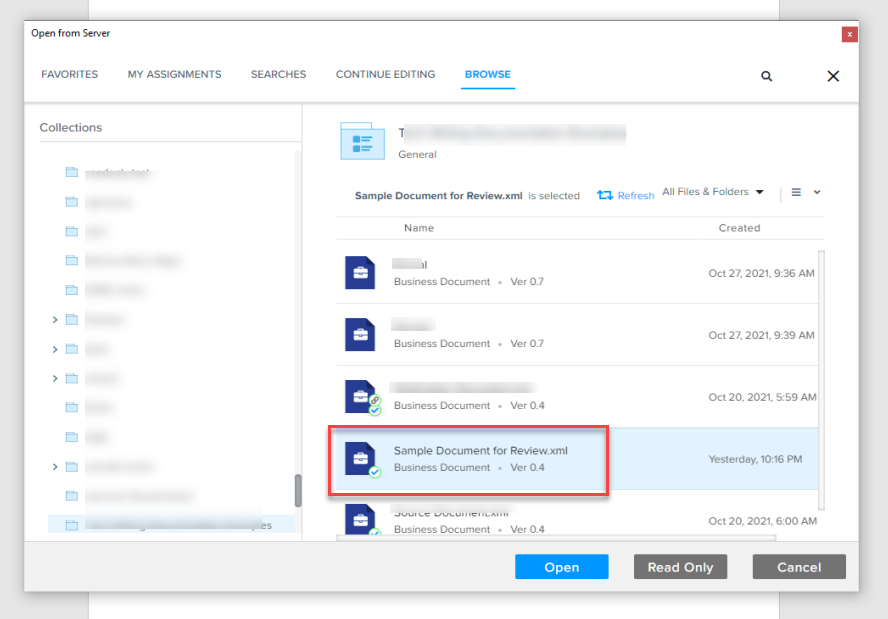
In the dialog box Open from Server, select the reviewed file and then select Open.
-
In the dialog box QPP Adapter for Quark XML Author for Microsoft Word, select Import (if you want to import the changes made by a reviewer) or Discard (if you do not want to import changes made by a reviewer).
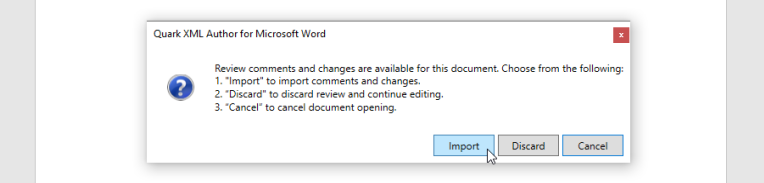
QPP Adapter for Quark XML Author opens the XML copy of the document for you to do further editing.