
Semantic Search in AI Assistant
Previously, AI Assistant facilitated content generation only through a standard search mechanism. However, with the integration of Semantic Search in v4.0, our AI-enabled feature now offers an intuitive and context-aware search experience. Semantic Search goes beyond traditional keyword matching, allowing for a deeper understanding of the intent and meaning behind your search queries.
With Semantic Search, you can now delve into the wealth of documents available in QPP NextGen with unparalleled ease and precision. By simply entering your query, our AI-enabled AI Assistant will sift through a vast array of documents, presenting search results with relevancy scores, enabling you to swiftly identify and select the most pertinent content.
Semantic Search Configuration — Prerequisite
Before utilizing the Semantic Search functionality in AI Assistant, it's crucial to undergo the configuration process. Proper configuration ensures that you can fully leverage the capabilities of Semantic Search and receive the most accurate results.
Register a Service Provider
Service provider plays a vital role in classifying the user command and execute the classified operation. If the classified command is a search operation, AI service will require a service provider which is configured for search so that it can use the specified model to generate the text embedding.
Below is the sample payload for registering a service provider supporting the search capability –
https://host/aiintegration/api/v3/provider
{
          "provider_type": "open-ai",
          "name": "For Semantic Search-2",
          "default_configuration": {
                    "model": <generic AI Model> // e.g. "gpt-3.5-turbo"
          },
          "operation_configurations": [
                    {
                         "operation_id": "search",
                         "configuration": {
                              // Model for generating text embeddings
                              "model": "text-embedding-3-small"
                         }
                    }
          ],
          "credentials": {
                    "api_key": "<API KEY>"
          },
}
App Settings providing the defaults
AI Service needs to be configured for the default service providers for performing various AI operations.
Below is a sample payload for configuring the search –
http://host/aiintegration/api/v3/app-settings
{
          "default_service_provider_id": "<provider id returned via register provider API>",
          "version": 1, // appropriate current version
          "enable_semantic_search": true,
          "operation_settings": [
                    {
                              "operation_id": "search",
                              "service_provider_id": "<provider id returned via register provider API>"
                    }
          ]
}
Enabling Semantic Search — QPP NextGen
Semantic Search is disabled by default. One needs to enable the same via an API.
Below is a sample payload for configuring collections for the search –
https://host/aiintegration/api/v4/config/semantic-search
{
          "sourceType":"HTTP",
          "collectionList" : ["Home/xxx", Home/yyy"], // List of collections to enable the Semantic Search capability
           "enableSemanticSearch":true
}Accessing and utilizing Semantic Search in QPP NextGen
You can access the Semantic Search feature in QPP NextGen by following these steps –
-
Log in to the QPP NextGen platform using your credentials.
-
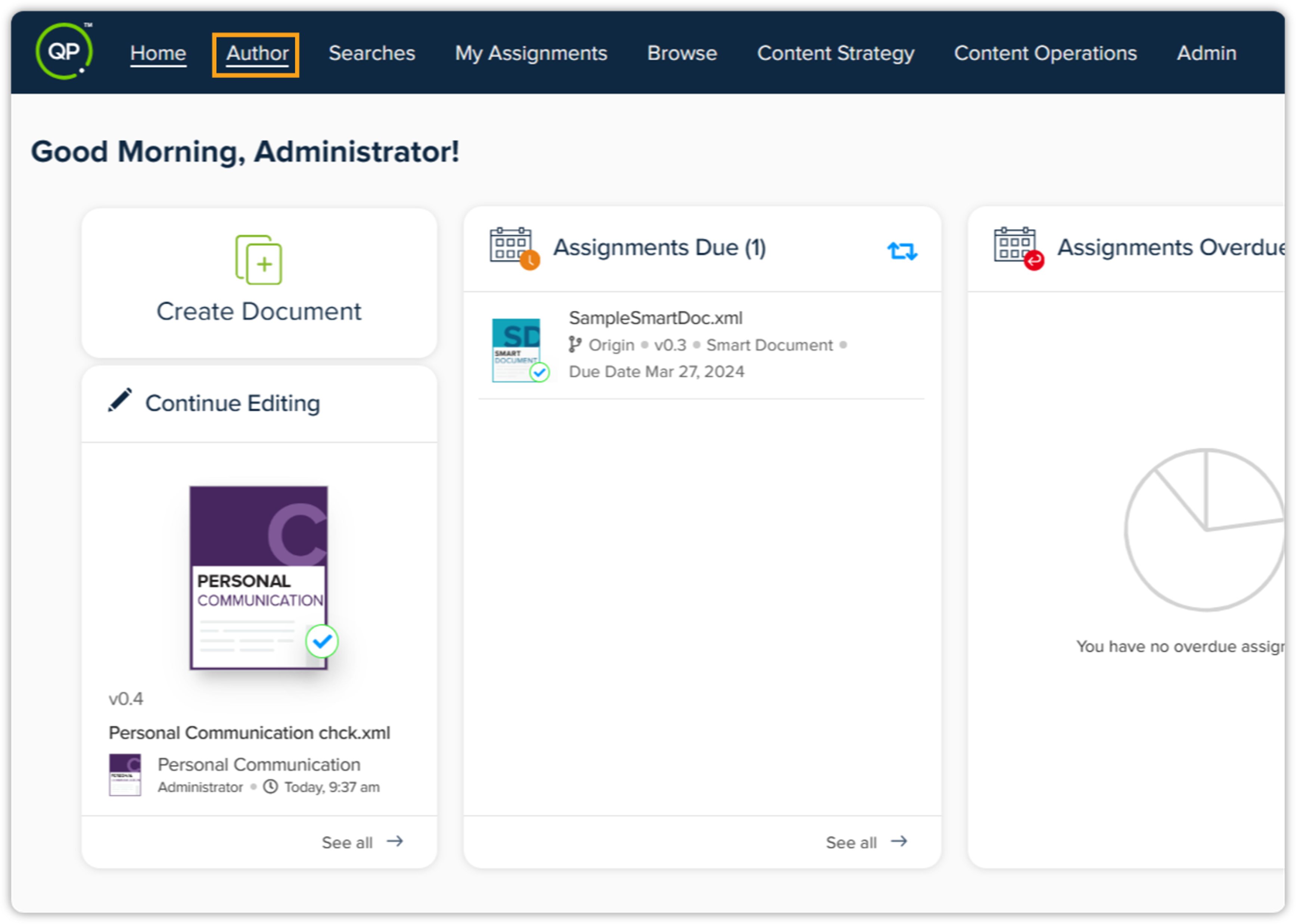
Click the Author tab in the top menu bar.
-
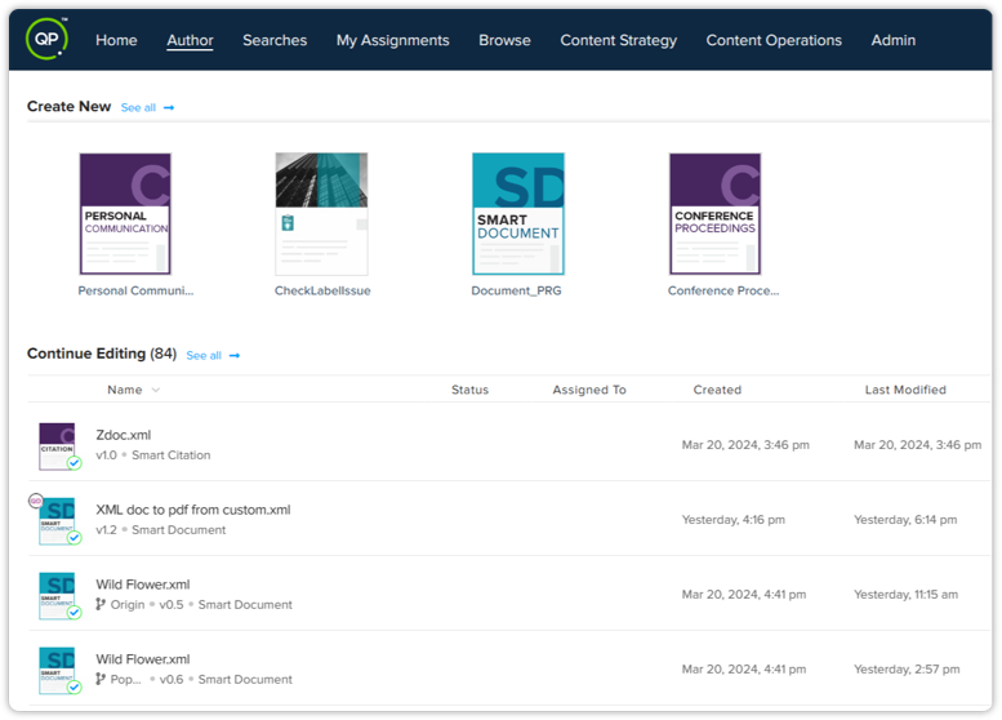
Now choose the document option — in Quark Author, decide whether you want to create a new document to leverage the Semantic Search functionality or open an existing document where you wish to use this feature.
-
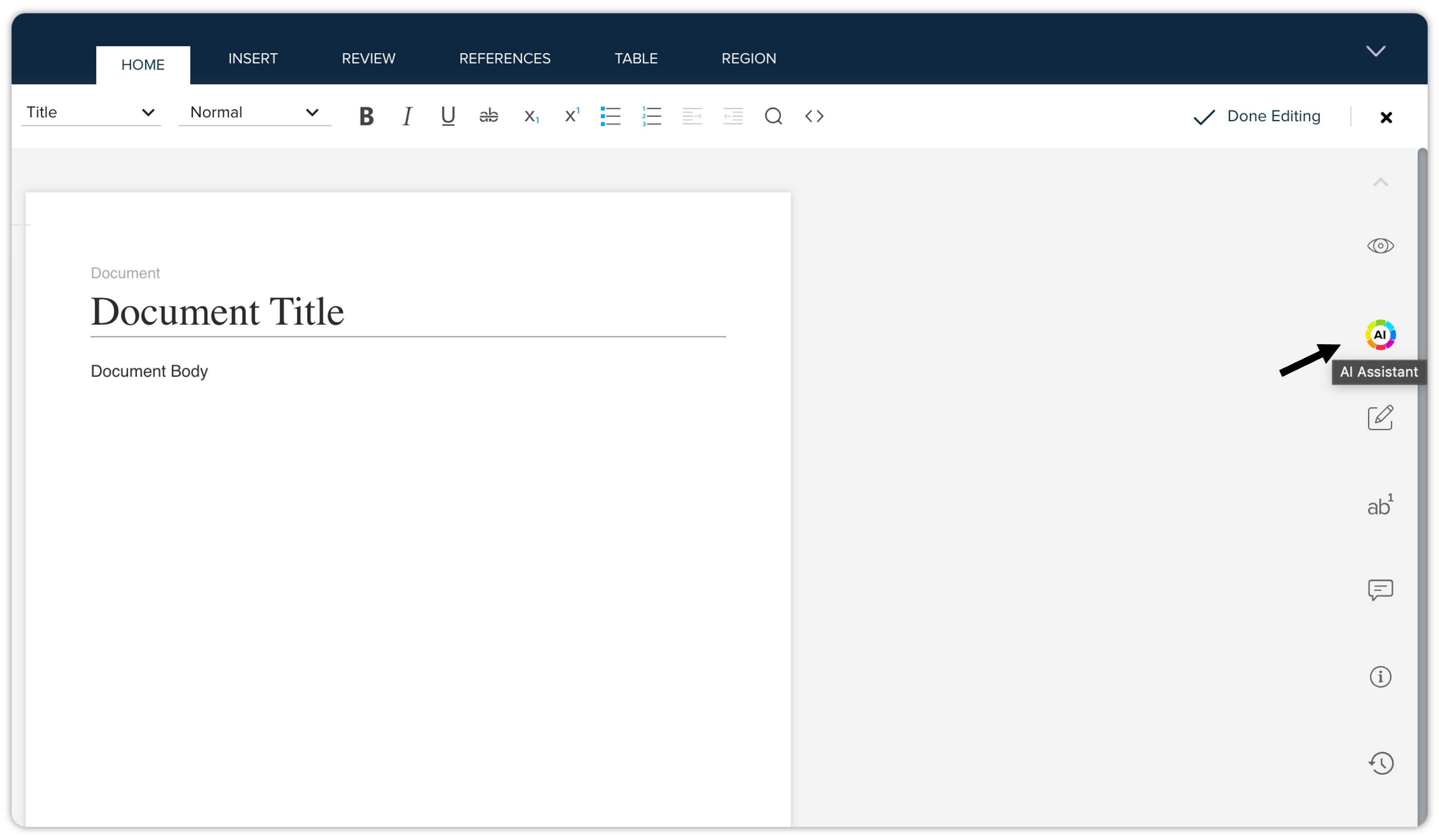
Once your document is opened, navigate to the right side of the screen to locate the AI Assistant tool.
-
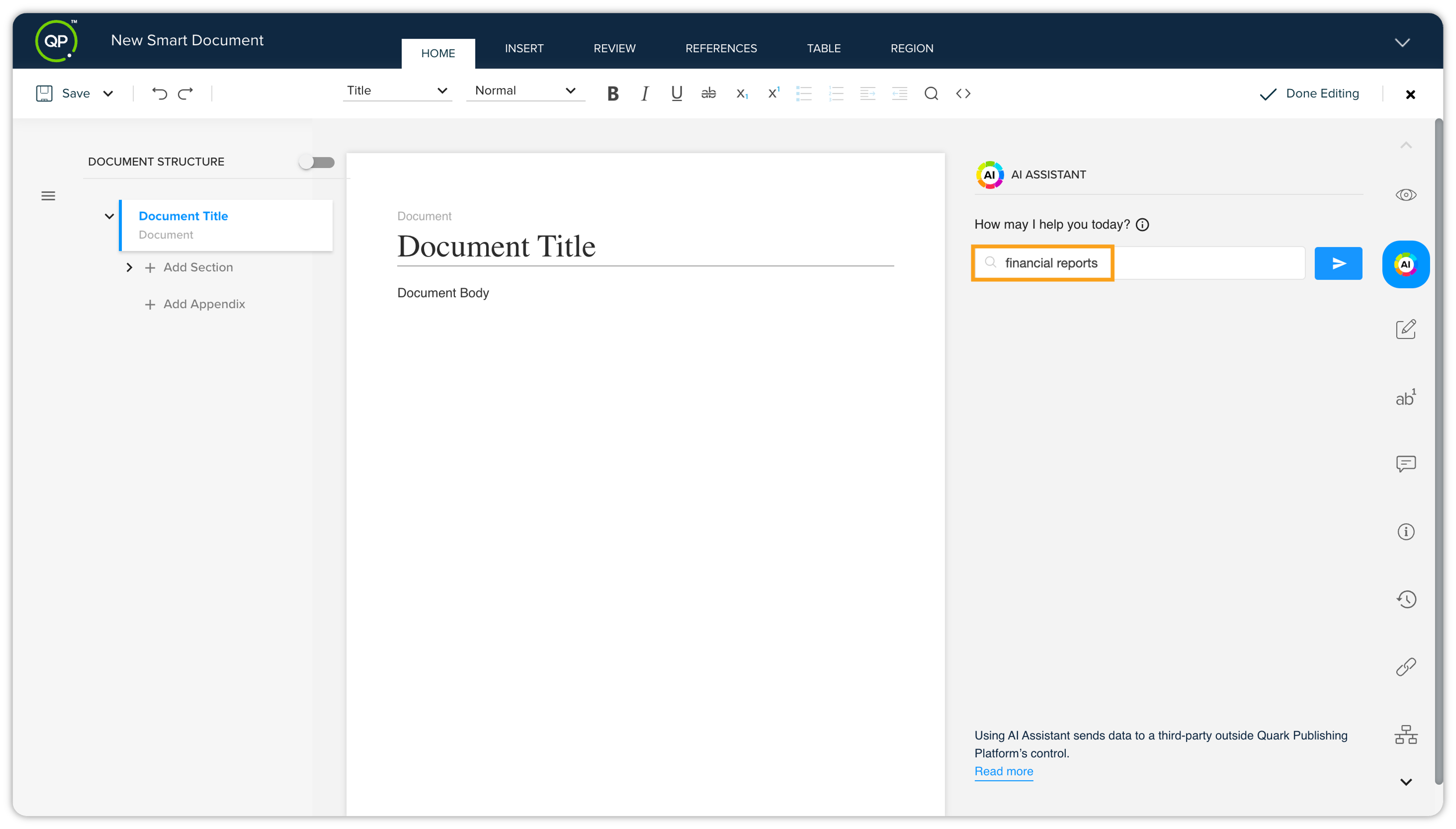
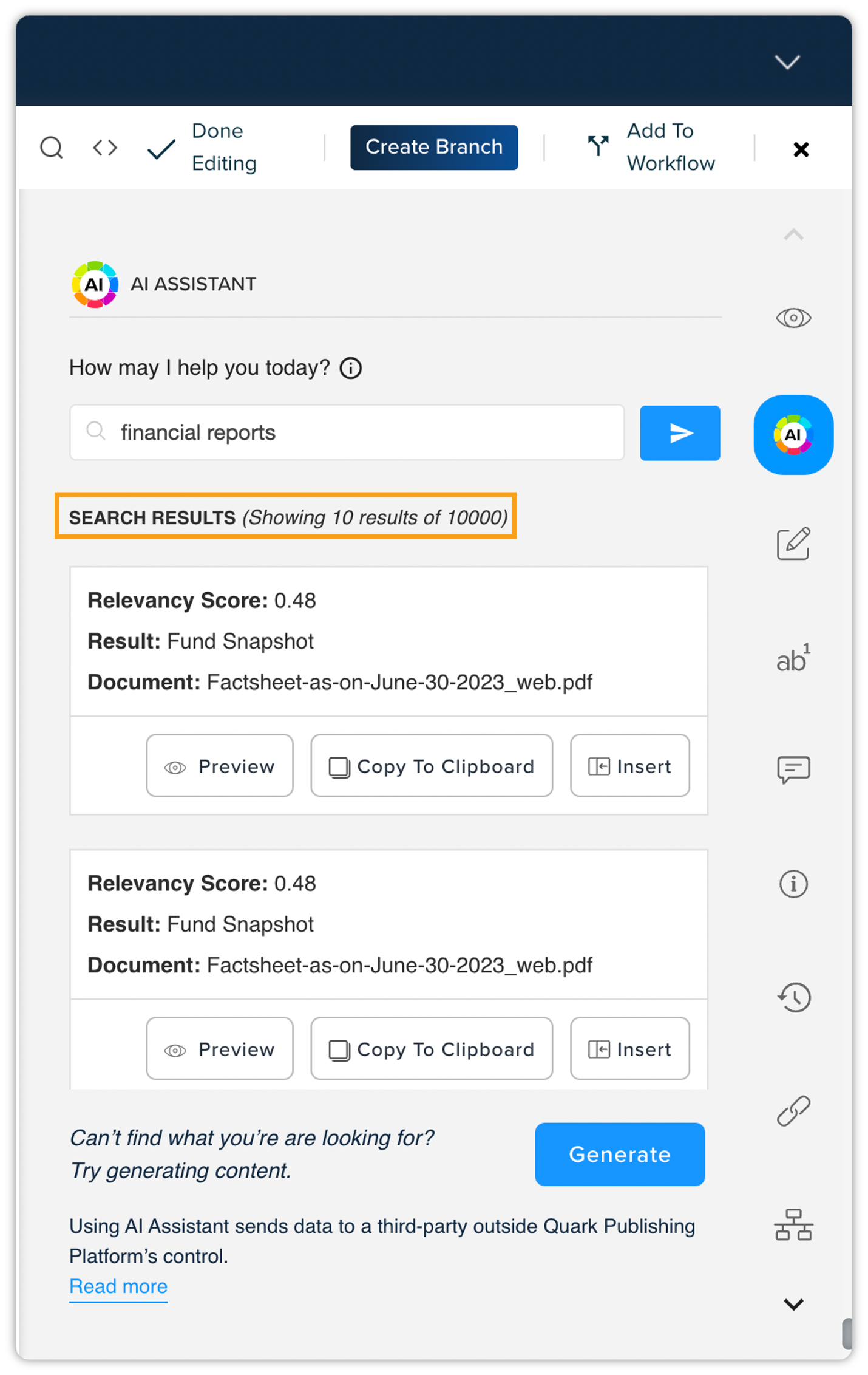
Within the AI Assistant, you will now be able to use the Semantic Search feature, designed to streamline content discovery and conversion. Enter your search queries or keywords into the Search bar within AI Assistant.
-
Within a few seconds, the results will be fetched by AI Assistant.
-
Review the search results to identify relevant unstructured content elements.
-
Utilize the provided options to seamlessly convert the discovered unstructured content into structured, reusable assets within your document.
By following these steps, you can effectively harness the Semantic Search functionality within AI Assistant, enabling you to streamline content discovery and accelerate the conversion of unstructured content into reusable formats.