How to use AI Assistant
AI Assistant is designed to be intuitive and efficient, making it easy for you to find the information or assistance you need. Let’s say you want to create a document on a specific topic for your customers or readers/subscribers. To do that, follow the steps shown below –
-
Log in to the QPP NextGen platform using your credentials.
-
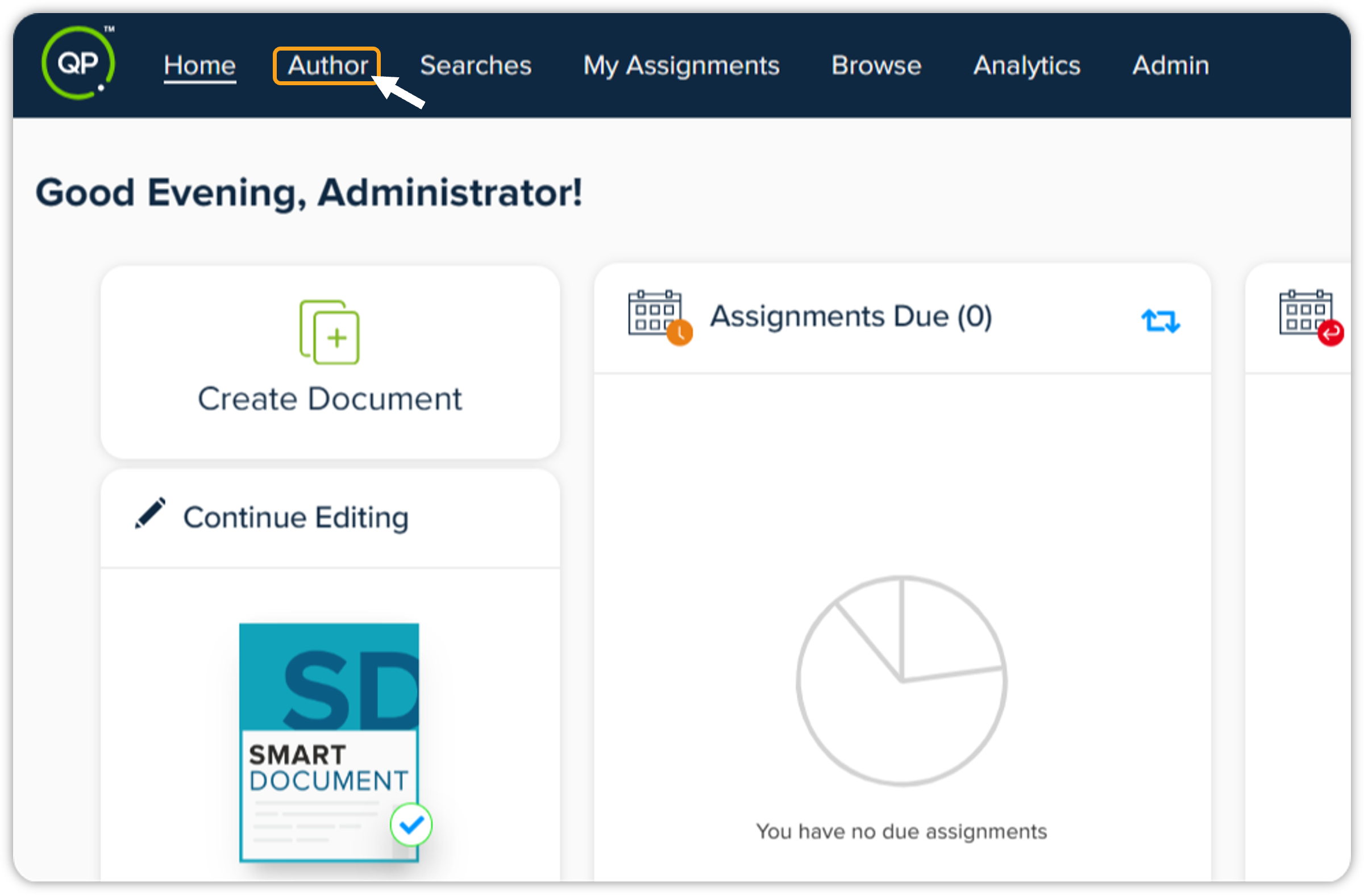
On the QPP NextGen home screen, click the Author tab in the header section.
-
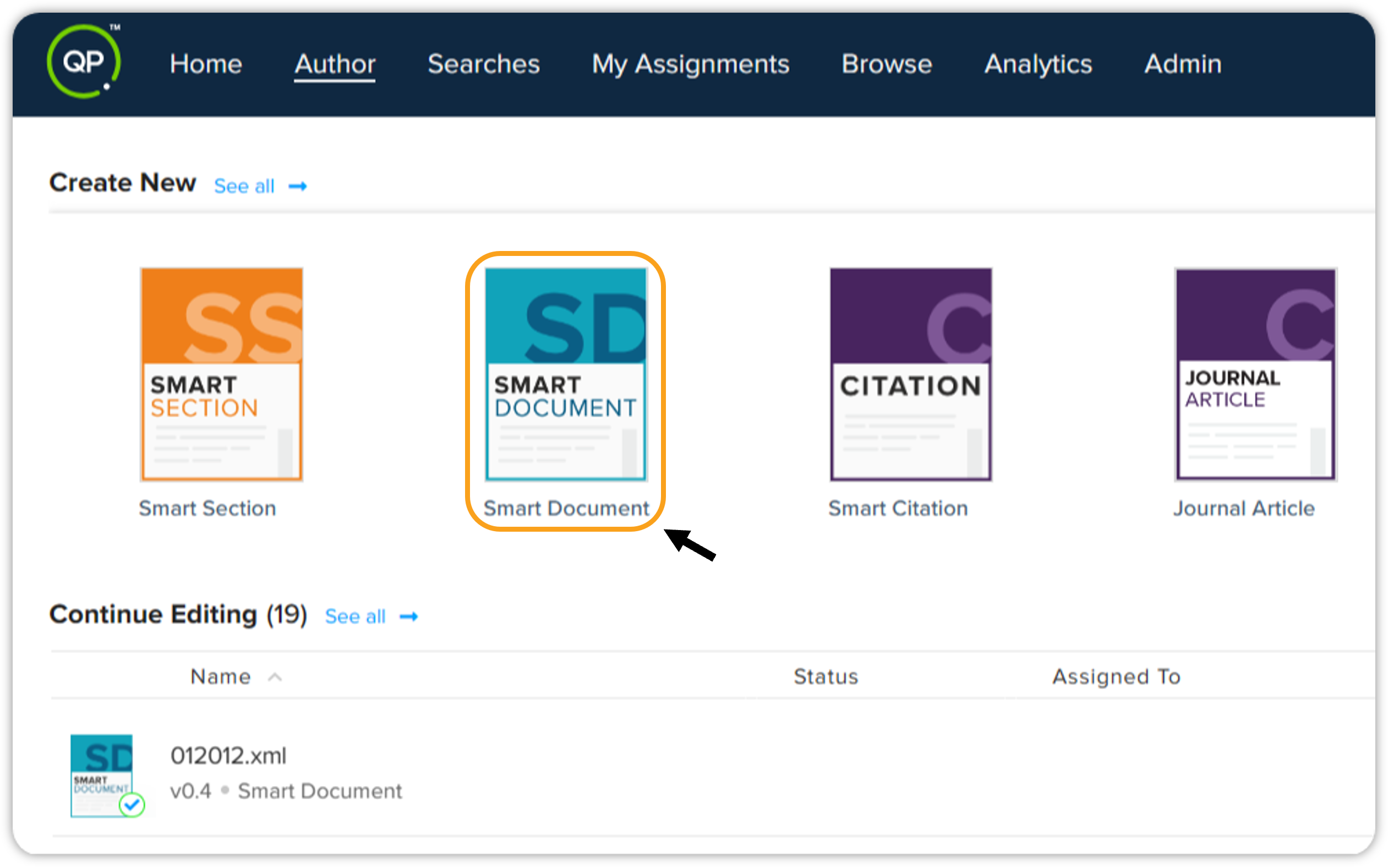
Now select the type of document you want to create, for instance, Smart Document.
-
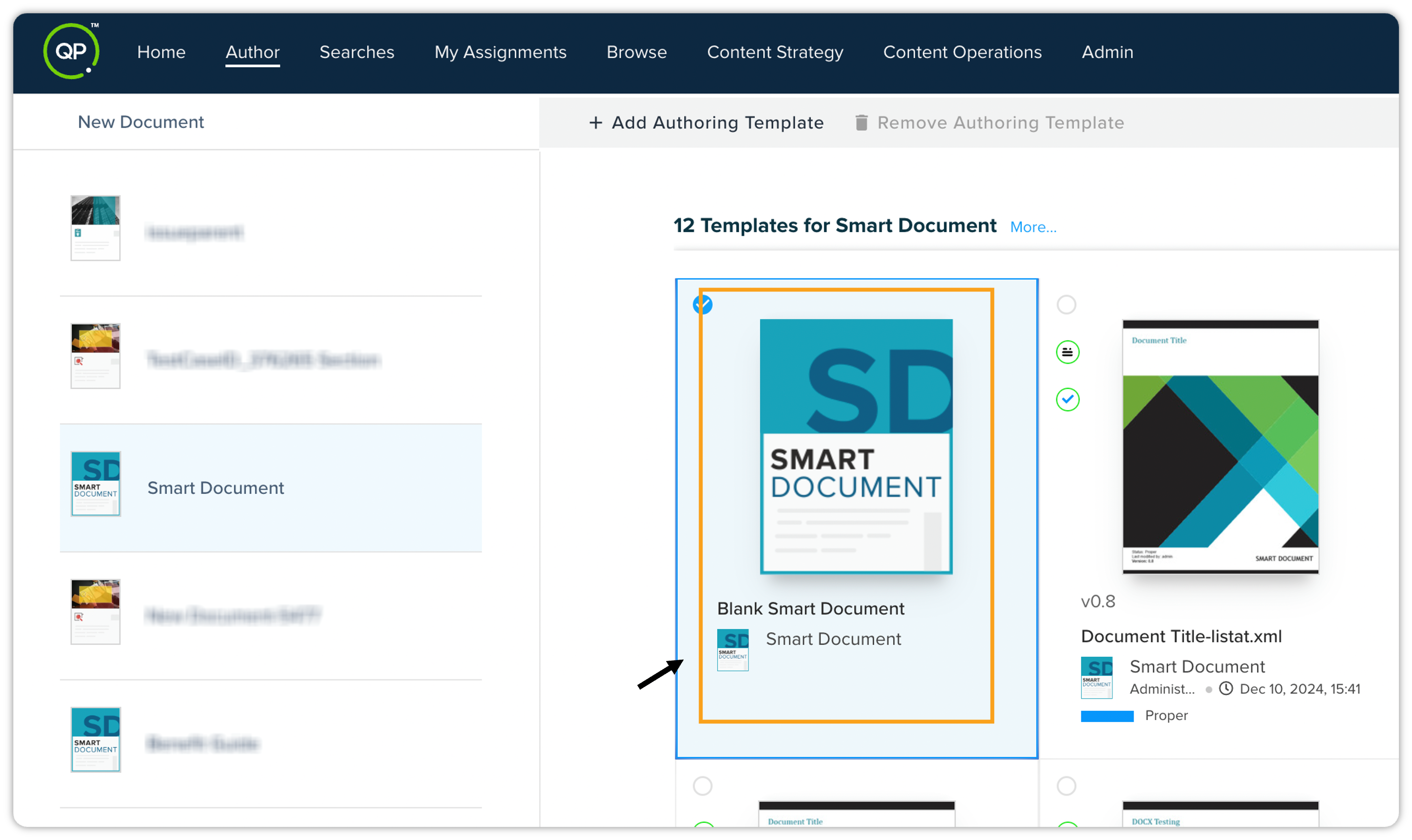
On the New Document window, double-click the Blank Smart Document.
-
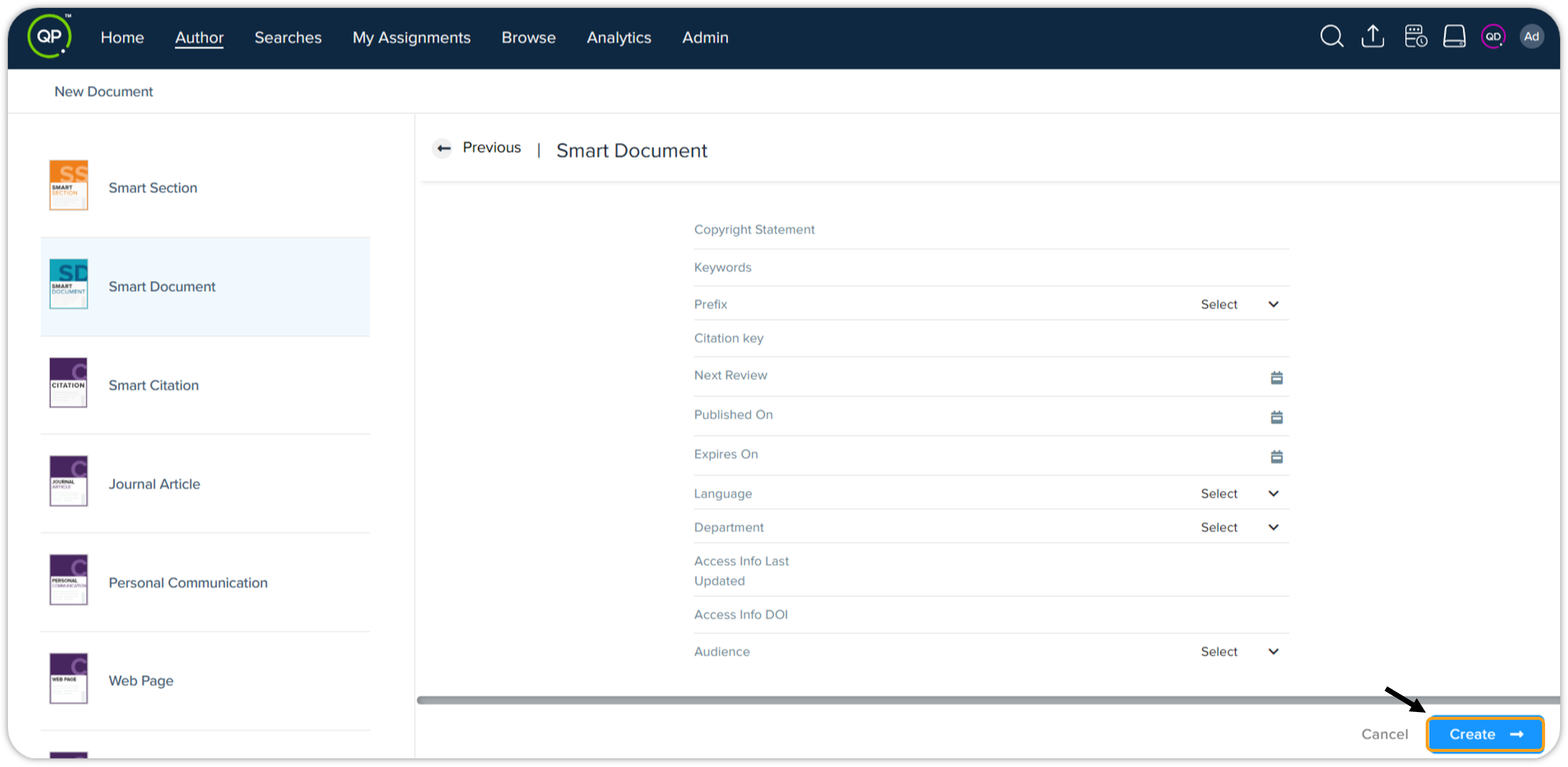
Now enter the metadata details for the smart document you are creating.
-
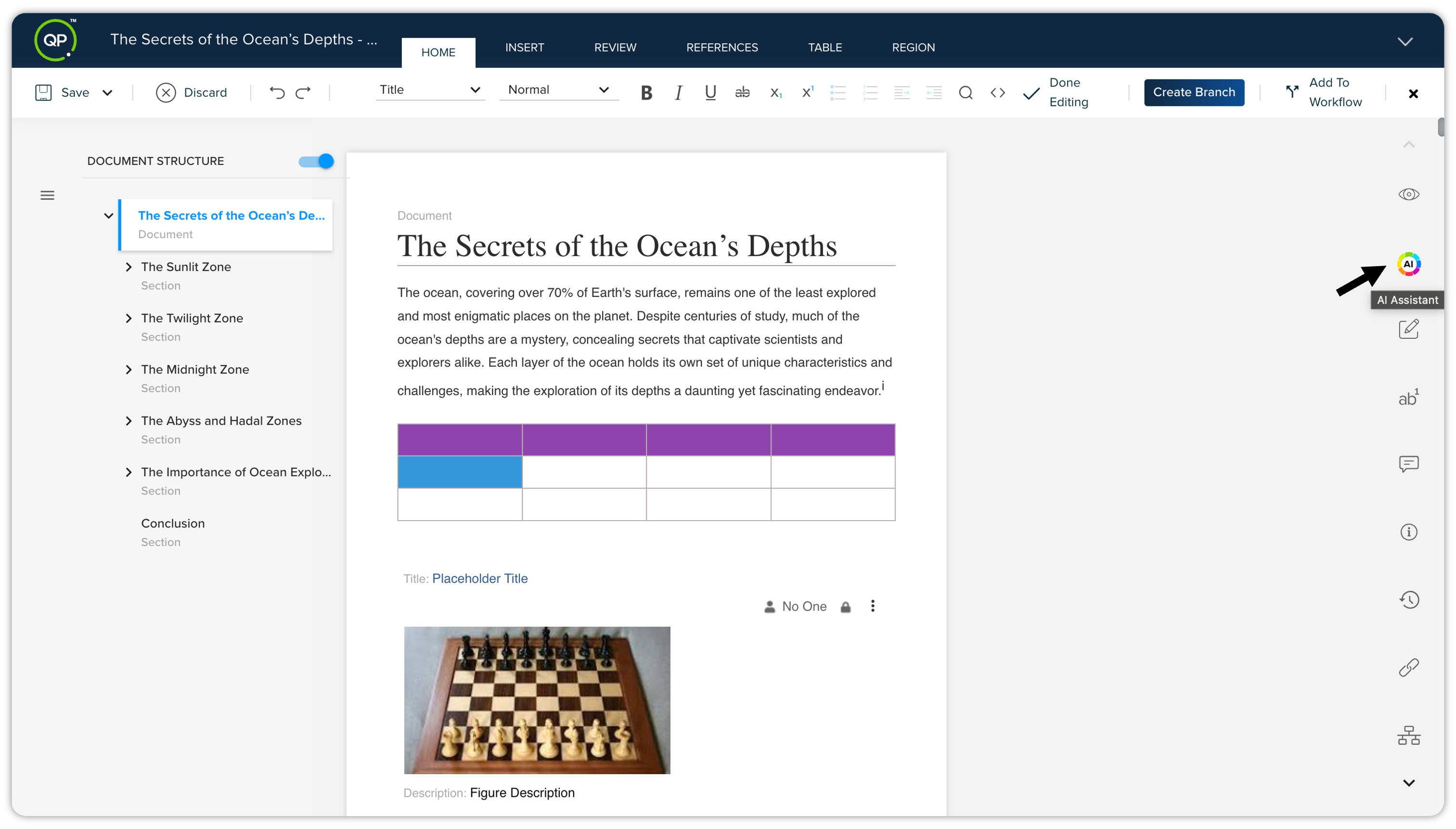
This will open the smart document editor on your screen. You can add content to your document and style it as desired.
-
To use the AI Assistant, go to the Apps Pane section (shown vertically on the right side of the screen), and click AI Assistant.
-
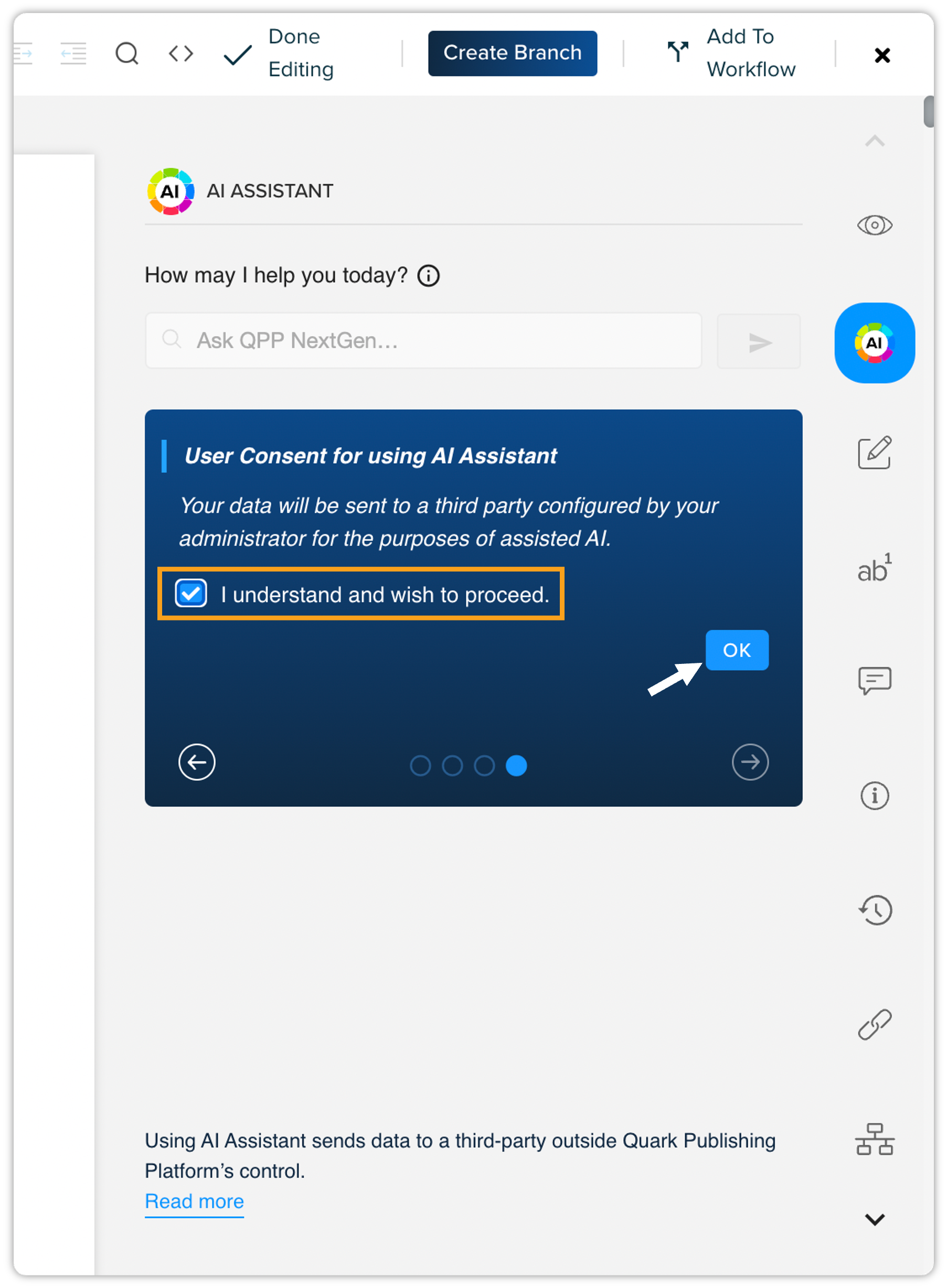
This will open the AI Assistant pane where you can input your query. Prior to utilizing the AI Assistant feature, a consent screen will be displayed. This screen provides essential information regarding the tool's capabilities and data handling. Please review this information carefully and click "I understand and wish to proceed" to confirm your consent and activate the AI Assistant.
-
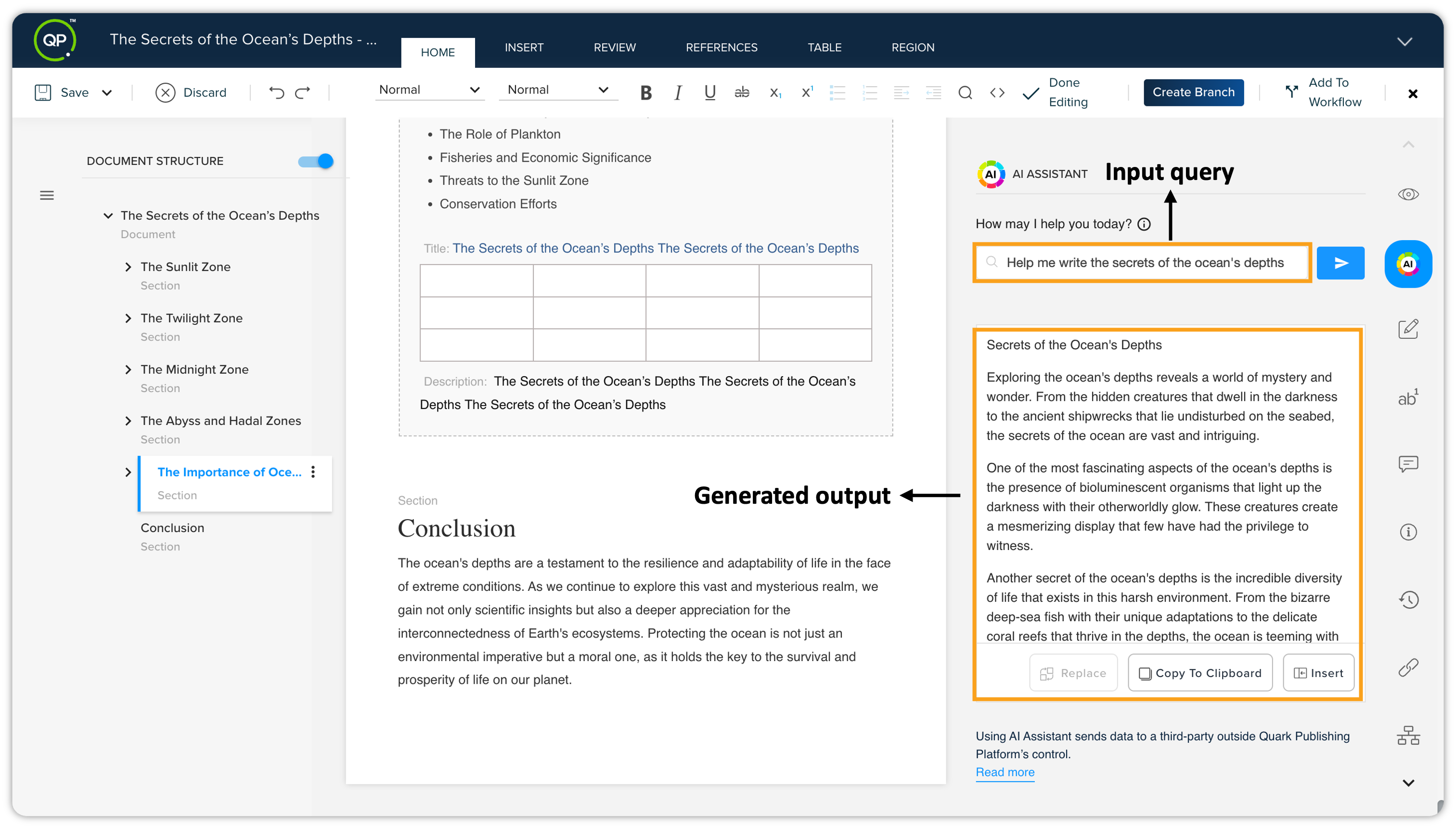
After that, you can use AI Assistant. You can enter any query to generate the content. For example, you can simply input a query like this — “Help me write the secrets of the ocean's depths”. Within a few seconds, AI Assistant will generate quality content about the query you've entered.
-
You can then click the Copy to Clipboard button to copy the generated content and paste it into the document.
-
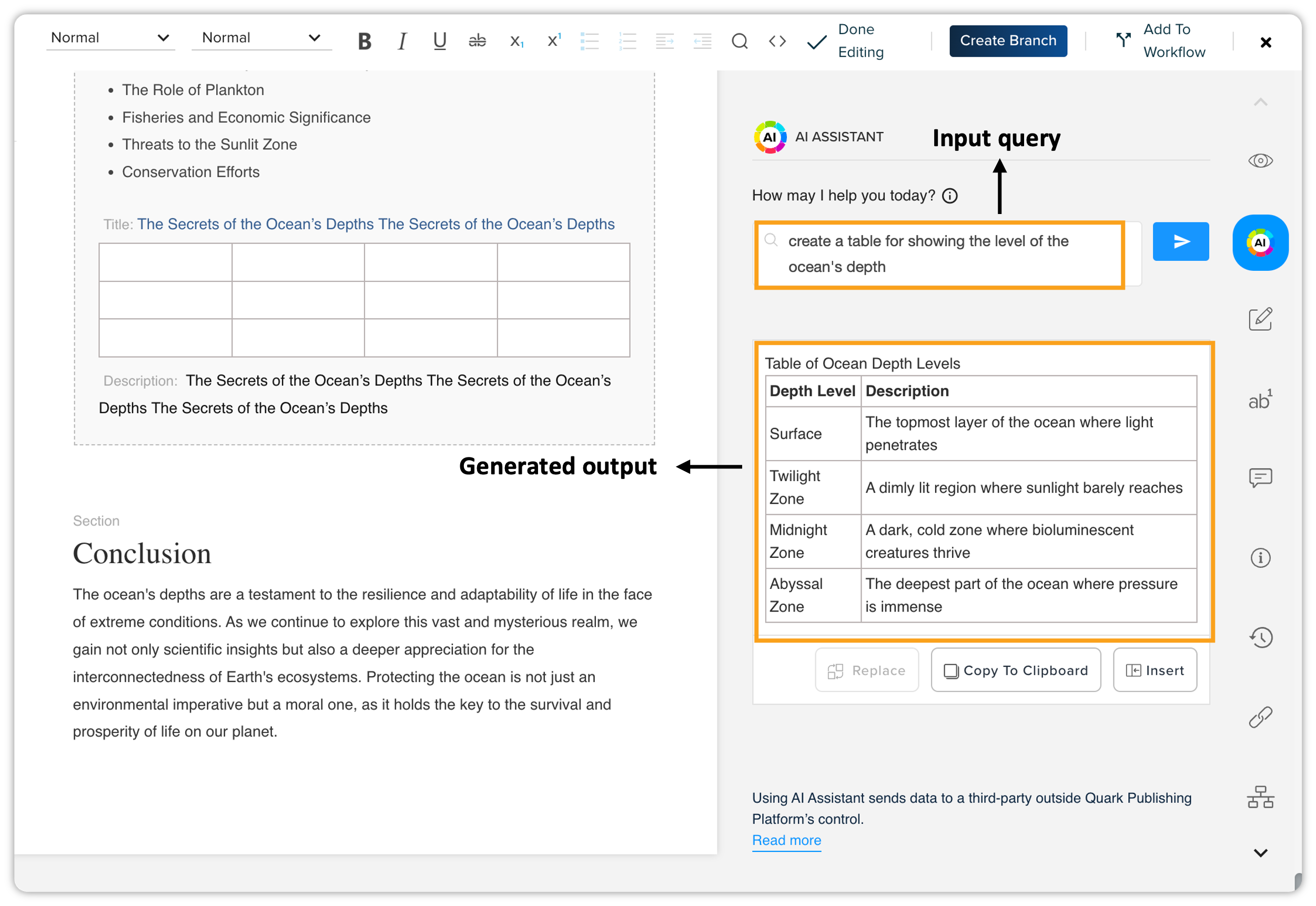
Besides content generation, you can also create tables with the help of AI Assistant.
-
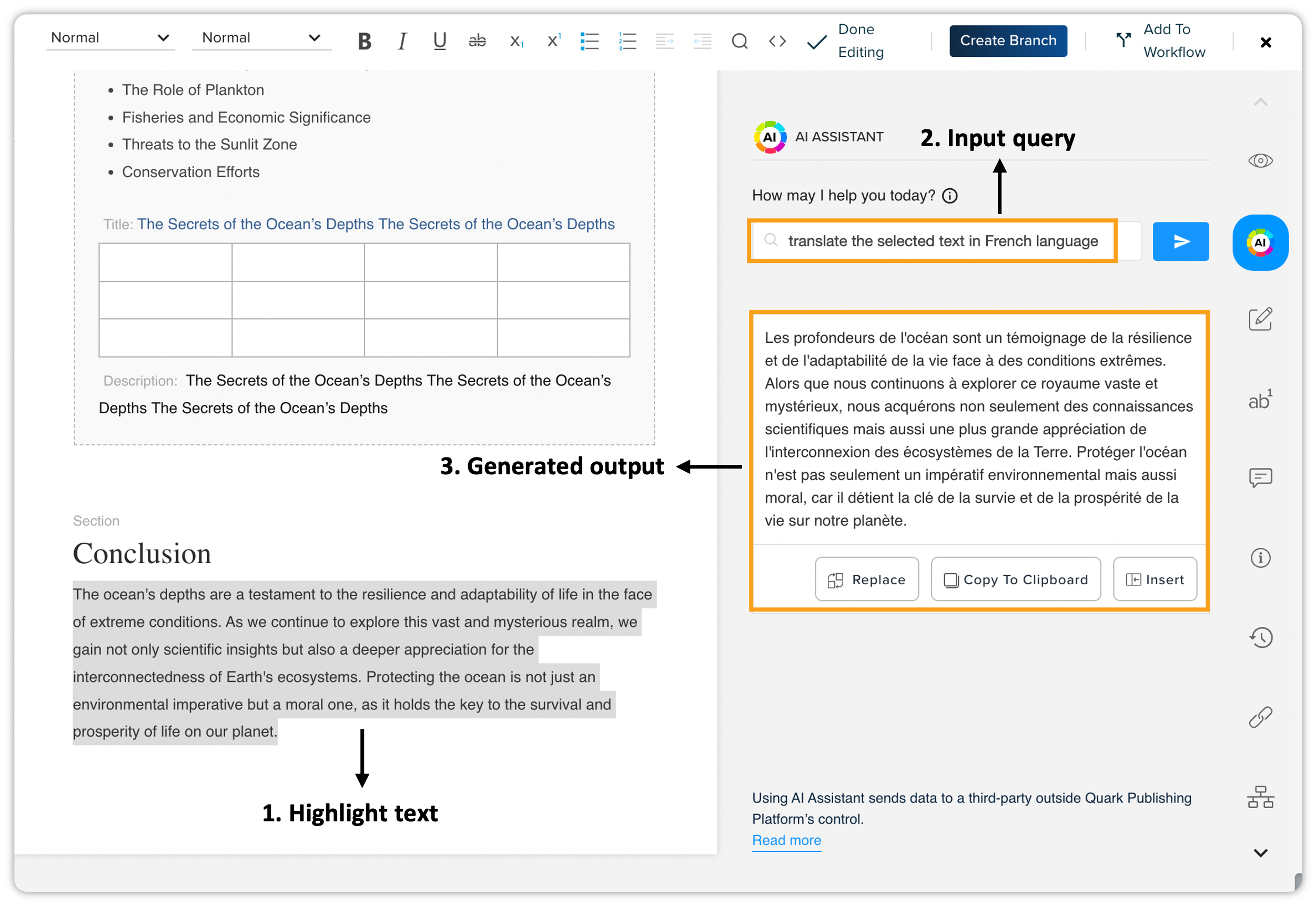
AI Assistant can also help you with translating the content. Let’s say you've written a paragraph in the English language, and you want to translate it into the French language. To get this done, you can simply input a query like this — “translate the selected text in French language”. AI Assistant will hardly take a few seconds and get all the selected texts translated into the French language.