
October 04, 2023 — v3.2
New Features
The following new features have been introduced in this version of Quark Publishing Platform (QPP) NextGen –
-
Webhooks Integration (Schedule-driven): The ability to allow third-party applications/services to extend QPP-NextGen functionalities based on a schedule has been implemented through webhooks.
-
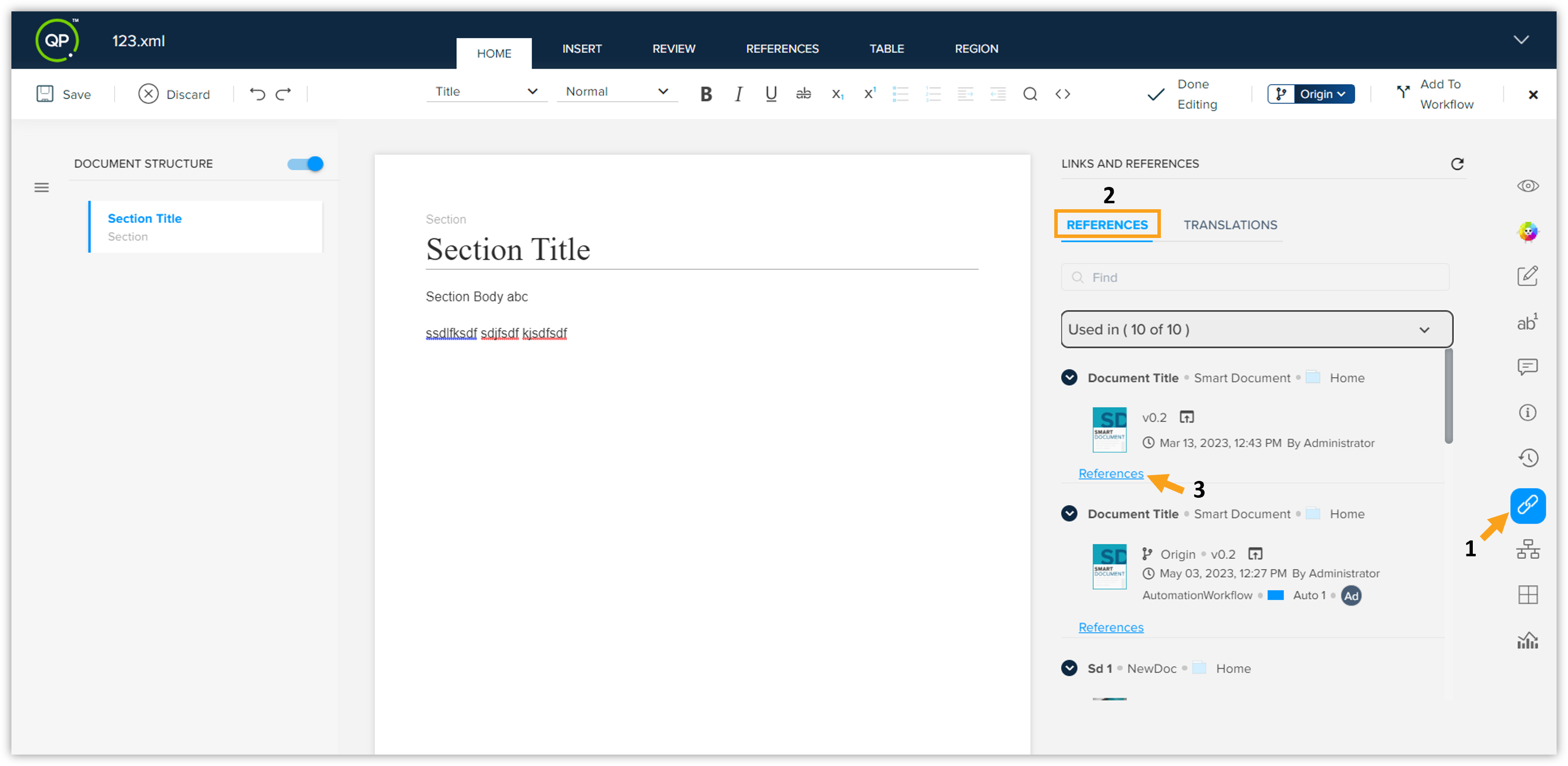
Content Impact Diagram: Introducing a new visual representation that will allow users to see a list of references associated with the asset or a specific component of the asset. Using this functionality, users can gather additional information related to that component. This newly added functionality is available for users having Admin, Author, Contributor, and Consumer licenses.
-
Export Smart Documents & BusDoc Documents to DOCX: Users with Admin license can now easily export their smart documents and BusDoc documents to DOCX format. This capability will help users establish DOCX templates for defining styles and associating these styles seamlessly with the document schema. Enhancing customization and consistency while reducing errors are the key benefits of this capability.
Enhancements
The following enhancements have been made in this version of Quark Publishing Platform NextGen –
Web Application
-
Content Audit & Content Delivery Dashboards: We have added two new dashboards in the Analytics tab of QPP-NG – Content Audit and Content Delivery. These two newly added dashboards will help users gather insights on their content.
-
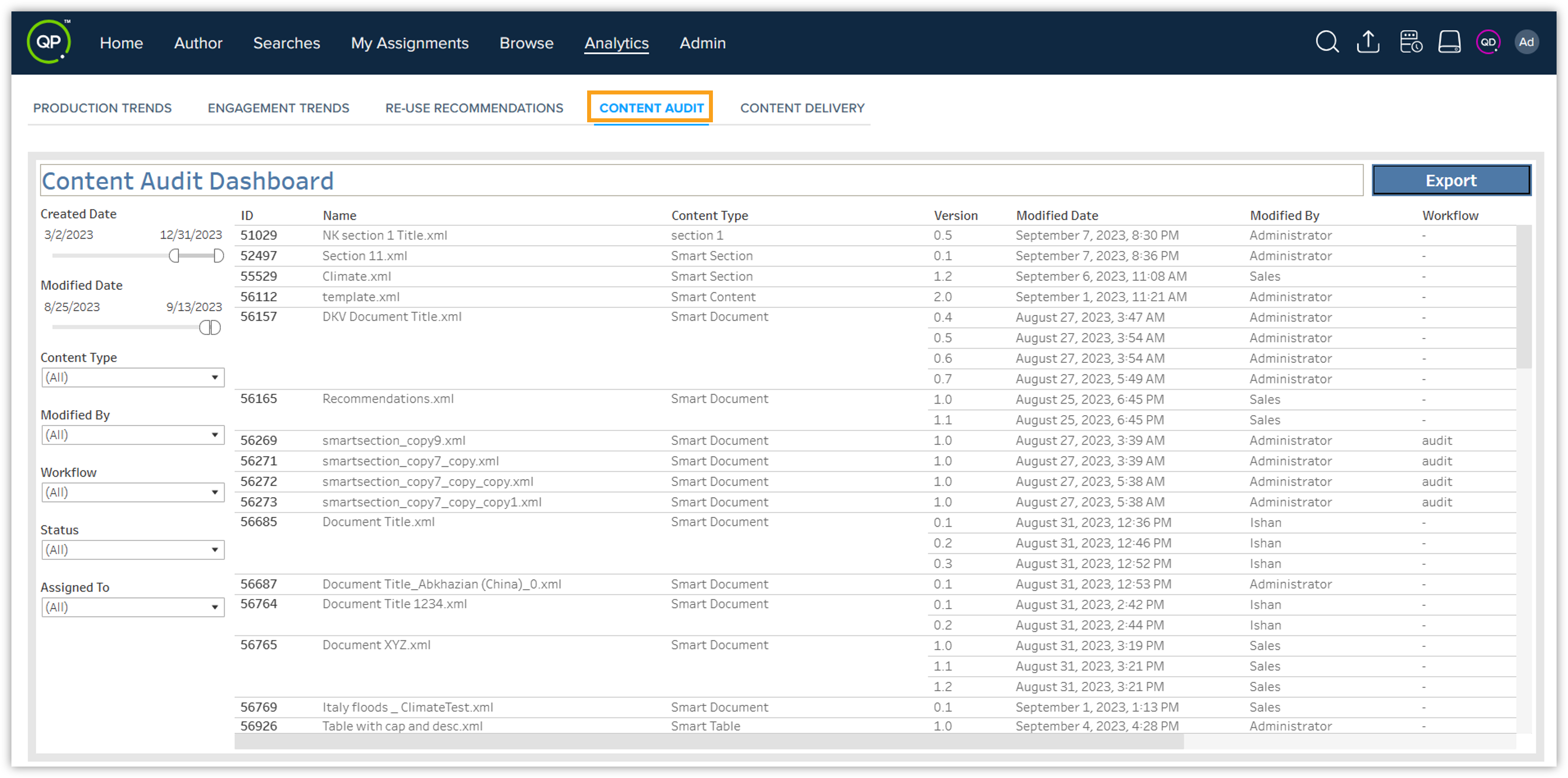
Content Audit: This will show users the complete detail of their content from the day it was created. The Content Audit dashboard has different columns showing the information of their content, for example, name, content type, current version, modified date, user who modified it, workflow, status, and to whom it is assigned. They can easily filter out your content using different filter options. Besides, they can also take an export of the Content Audit dashboard into an Excel file format or CSV format that will be saved to their local system.
-
Content Delivery: This will show users the complete detail of their content that has been delivered. The Content Delivery dashboard has different columns, just like the Content Audit dashboard has, for example, name, content type, due date, due time, actual delivery date, delivery time, and whether the delivery is on time or not. Users can check which of their documents have been delivered on time and which of them have not. They can also take an export of the Content Delivery dashboard into an Excel file format or CSV format that will be saved to their local system.
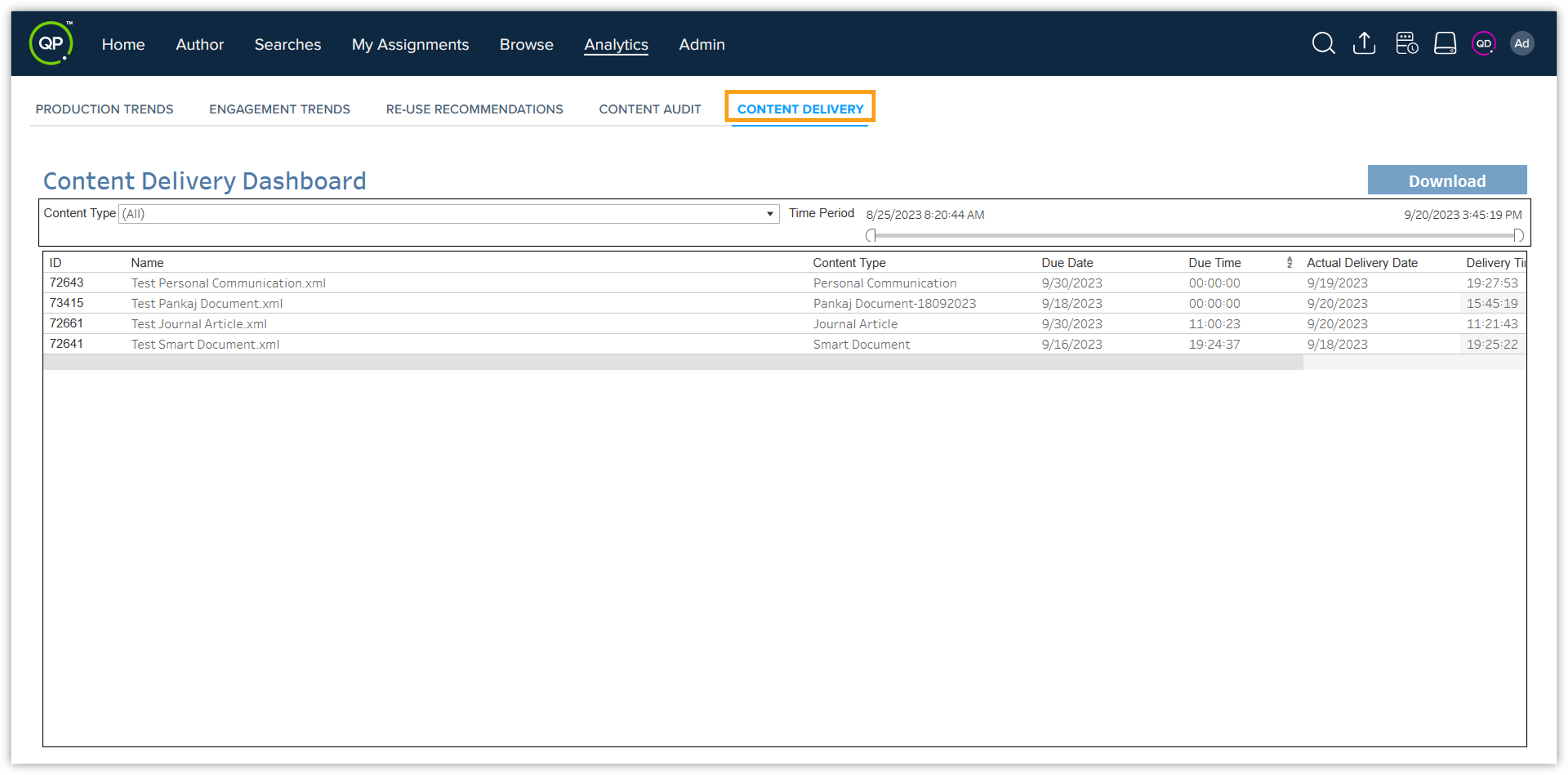 Note: The Content Audit and Content Delivery dashboards will only be available for users who have Admin and Author license types.
-
-
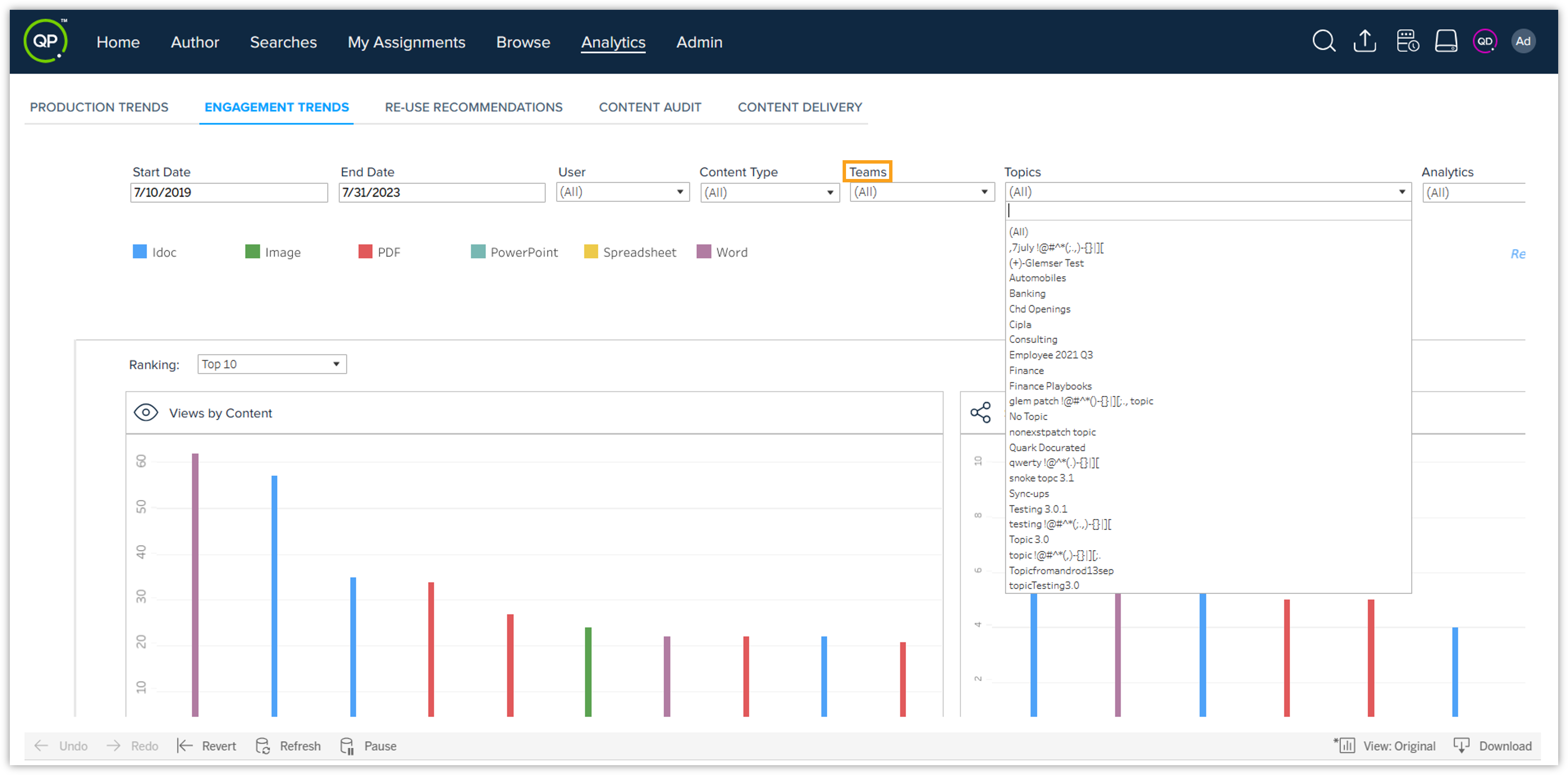
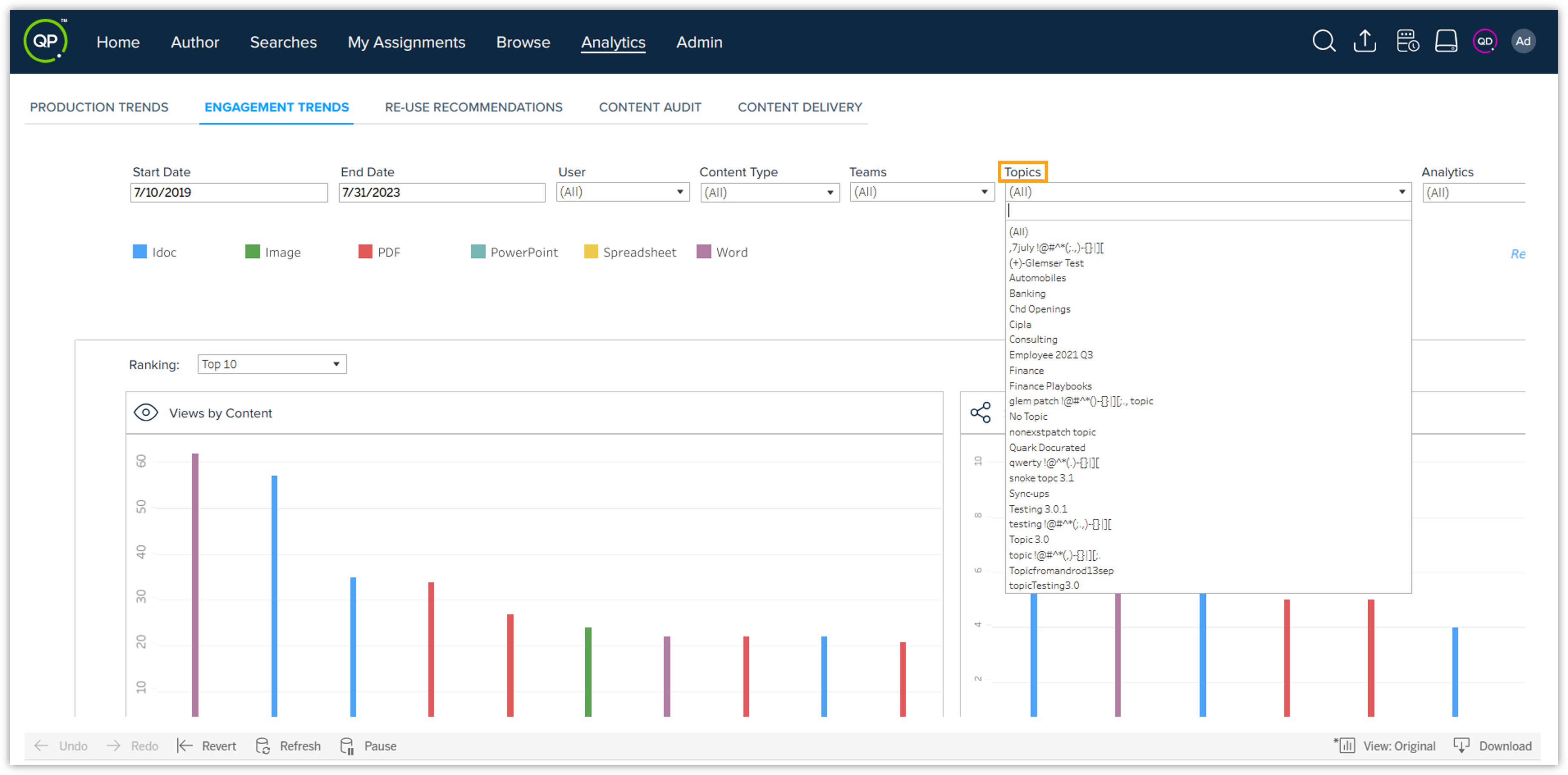
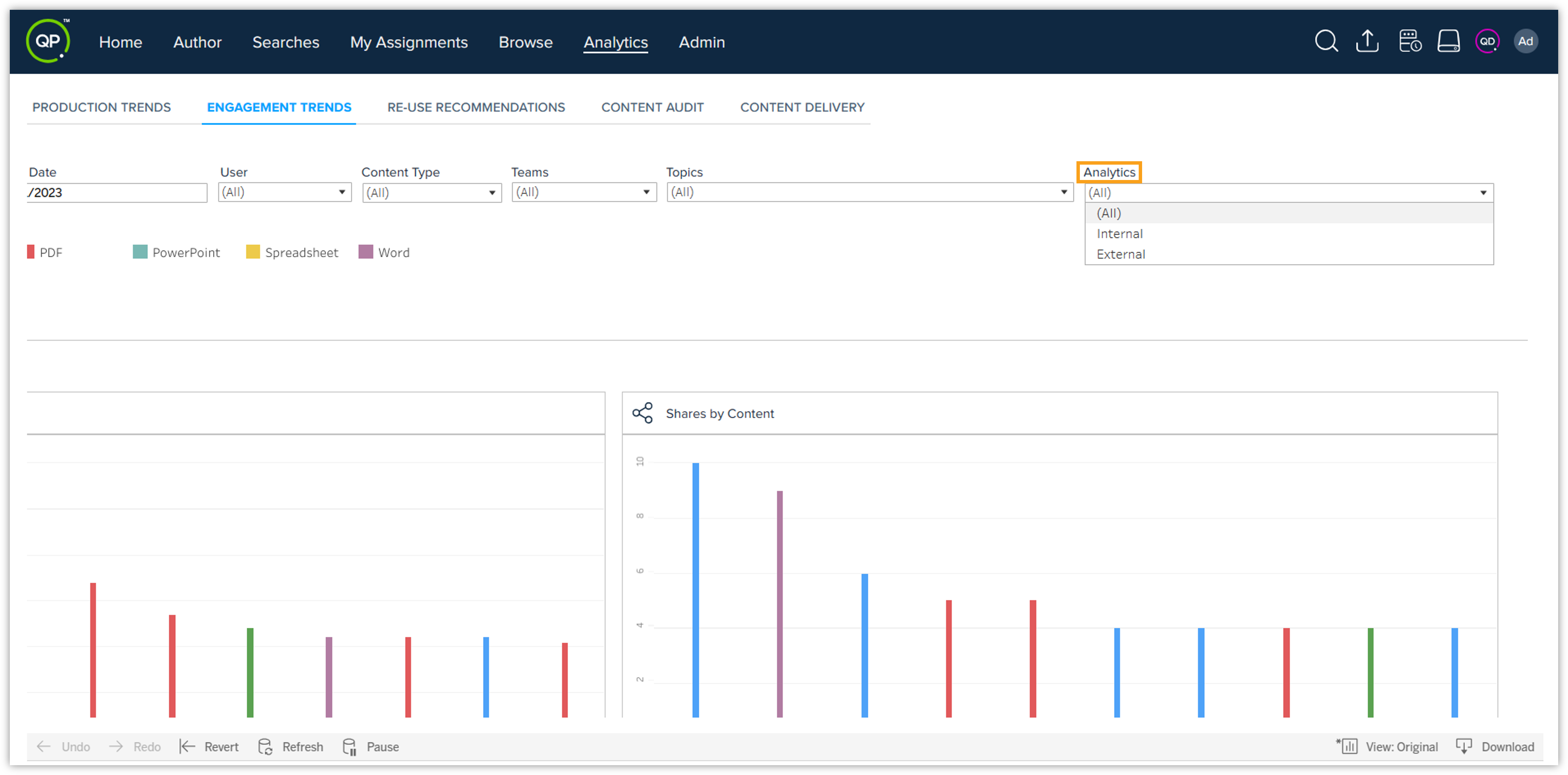
New Filters for Engagement Trends: We have added 3 new filters – Teams, Topics, and Analytics, for the Engagement Trends tab in the Analytics window. Using these new filters, you can filter your engagement trends and get the most desirable analytics data against your documents within a few clicks.
-
Teams: This will allow you to filter/narrow down the result set of users belong to selected team only.
-
Topics: This will allow you to filter/narrow down the result set w.r.t documents part of selected topic only.
-
Analytics: This will allow you to filter the engagement trends in two ways – internally and externally.
-
External analytics will show you the results w.r.t engagements made externally, i.e., activities (views/downloads/shares) performed via an external shareable link.
-
Internal analytics will show you the results w.r.t engagements made internally, i.e., activities (views/downloads/shares) within the Docurated platform.
-
-
-
Re-use Recommendations Tab: Introducing a new tab, called Re-Use Recommendations, on the Analytics window where you can check the types of recommendations available for your documents. The three types of recommendations are –
-
Keep: Documents with Keep recommendation are basically recently viewed documents, i.e., the ones that have been uploaded/shared/viewed in the last 90 days. This recommendation type actually tells that the documents are of rich quality, and therefore users are engaged with them.
-
Review: Documents with Review recommendation are the ones that have been uploaded/shared/viewed in the last 90 to 180 days. This recommendation type actually tells that the documents have not been uploaded/shared/viewed recently, and therefore there is a scope for improvement.
-
Retire: Documents with Retire recommendation are the ones that have not been uploaded/shared/viewed in the last 180 days, hence they are outdated or not up-to-the-mark. This recommendation type actually tells that the documents do not have the quality, and therefore they should be unpublished because users are not engaged with them anymore.
-
-
Keyboard Support in Workspace: We are introducing keyboard support in QPP-NG that will help users interact with the UI component. Keyboard support is important for users with disabilities, but can also improve the overall user experience for all users by providing a faster and more intuitive way to interact with the UI. An end user can use the following keys to interact with the UI component of QPP-NG –
-
Tab key: Pressing the tab key will help users move around different input fields or tabs/sections in a forward direction within the UI. Pressing the tab key with shift key will help users move in the backward direction within the UI.
-
Enter key: Pressing Enter key will select or open the item in UI.
-
Esc key: Pressing Esc key will close the drop-down list/ and removes focus from the UI component.
-
Arrow keys: Pressing the arrow keys (up, down, right, and left) will help users navigate within the UI, such as moving the cursor from one line of text to the next.
-
-
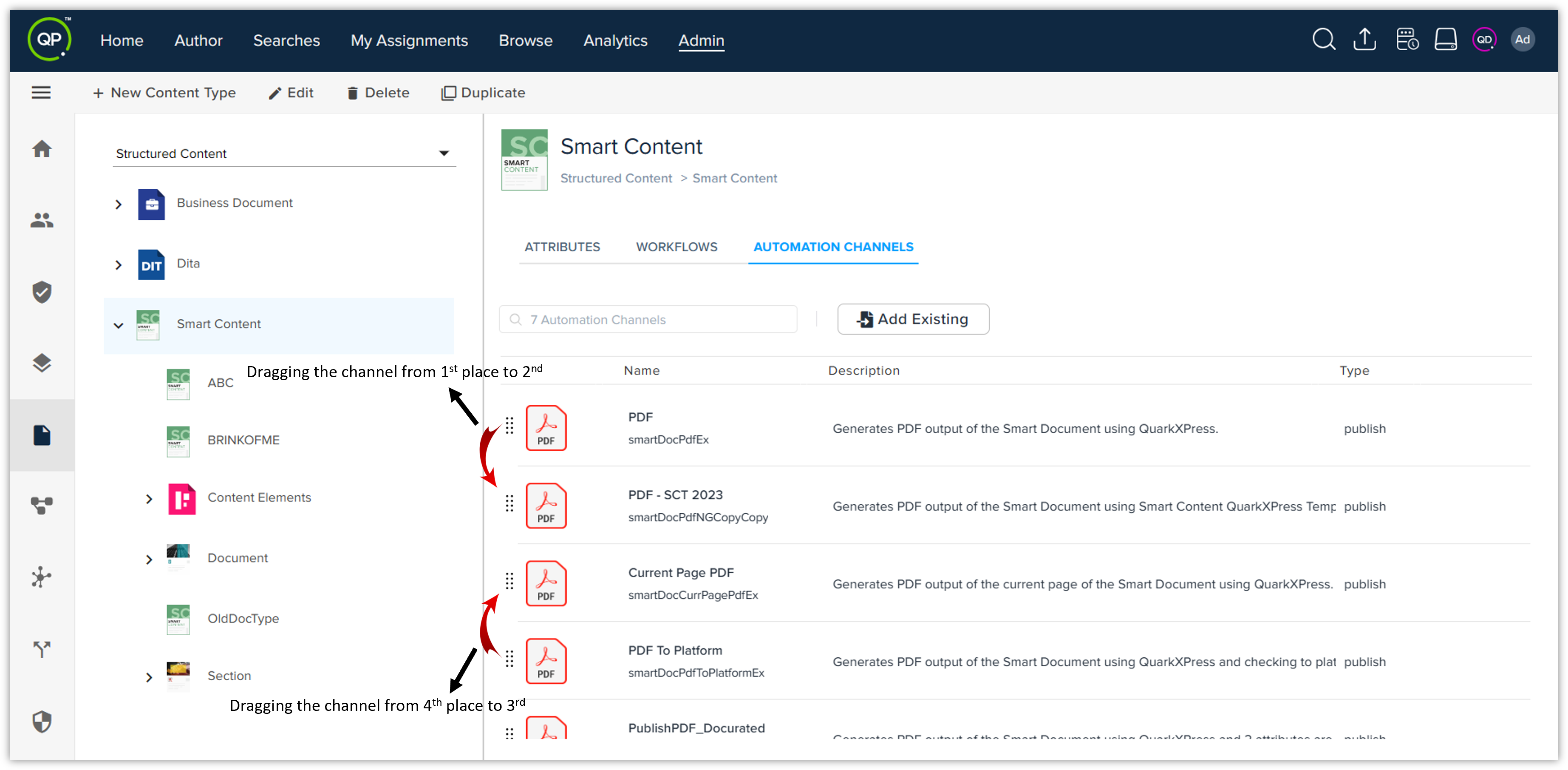
Re-ordering Preview Channels: Users with Admin license are now enabled to modify the ordering of the channels from the Automation Channels settings within the admin area. They can simply drag the channels from one place to another to reorder them.
Platform Server
-
Preview Support for IDOCs: We have added preview support for IDOC documents in QPP-NG. As a result, users can now check the preview of their IDOC documents on the workspace. Besides, we have made the following upgrades –
-
The IDOC content type is now available with which two properties have been mapped – SourceAssetId (input value will be numerical) and SourceAssetName (input value will be textual). Now, whenever users upload an IDOC document, it will be uploaded and recognized as IDOC content type.
-
Two channels have been added where preview can be seen – smartDocToIdoc and smartDocToIdocToPlatform.
-
-
Enhanced clone service to support multi-value attributes.
Adapter for Quark XML Author
-
Smart Content Metadata Pane: Integrating the Smart Content Metadata pane in Quark XML Author (QXA), similar to what we already have in Quark Author. This will provide users with a uniform experience while viewing and/or filling out the Metadata, thus increasing efficiency and reducing errors. The Smart Content Metadata pane will be available for all QXA users.
-
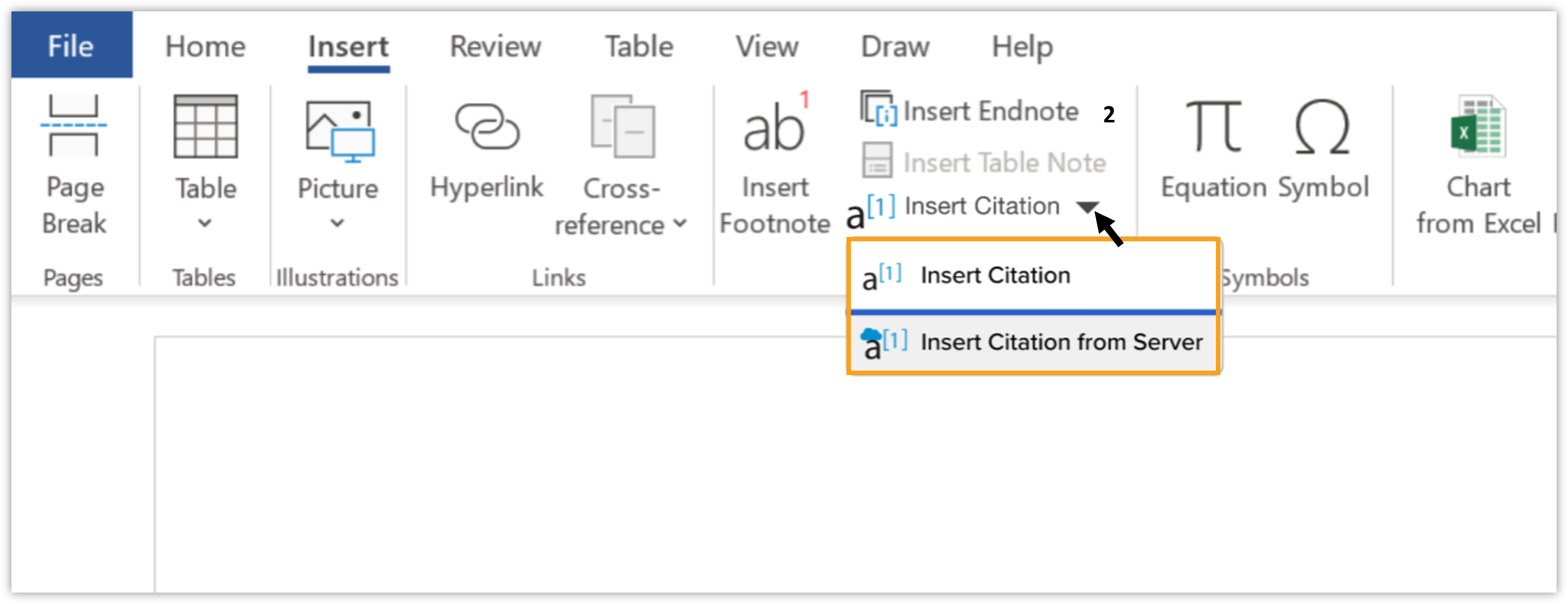
Citation Support in QXA: Integrating the Citation Support in Quark XML Author (QXA), similar to what we already have in Quark Author. There are two different ways to insert citation into your document –
-
Inline Citation: This will help you add inline citation in a document being authored in QXA so that you can acknowledge the source of information referred to in the document.
-
Citation from Server: This will help you add citation from the server in a document being authored in QXA so that you can acknowledge the source of information referred to in the document in the form of external file.
 Important: Quark XML Author Smart Content users need to update the content models created/edited on or after upgrade to QPP NextGen 3.1 or any later version. To update the content model, they can simply edit and save it without making any changes.
-
Adapter for Microsoft Office
-
New Updates in Excel Adapter: We have made the following updates in our Microsoft Excel adapter to increase efficiency and enhance user experience –
-
Whenever a new component is added or an existing one is modified, users will be able to mark the component with a visual indicator option "Mark as Modified" so they can identify which components need to be updated.
-
To ensure that all changes are synced, users will be able to update all the components in just one go using the "Update All Components" option.
-
To have granular control over the updates made to the Excel file using the Microsoft Excel adapter, we have added the "Update Selected Components" option that will allow users to select and update individual components.
-
-
QPP-NG 3.2 is now compatible with QuarkXPress Server 19.2.
DOCX Converter
-
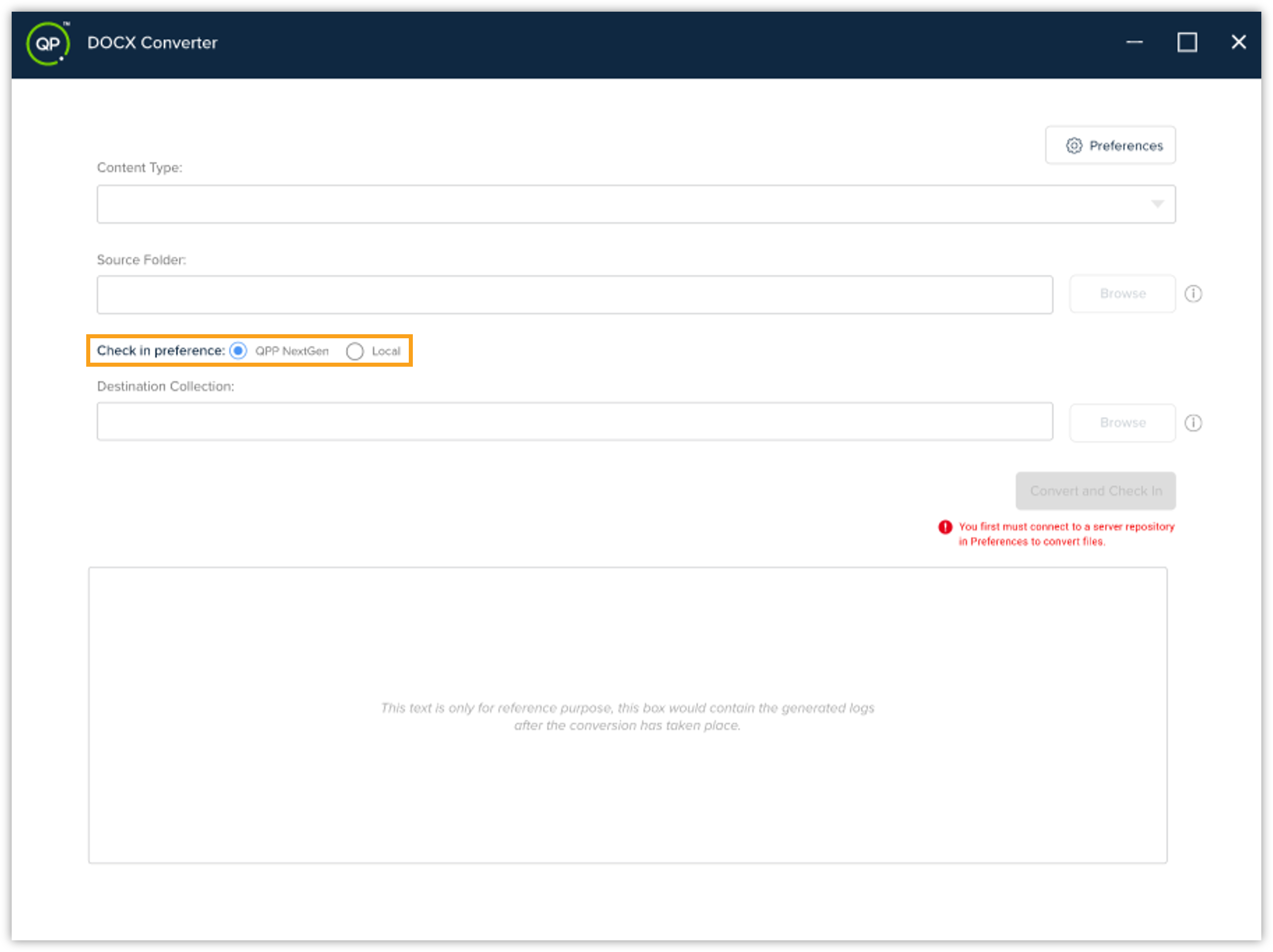
Upload and Check-in Functionality for DOCX Converter: Introducing a new functionality within the DOCX Converter tool that will allow users to upload and check-in the converted DOCX files directly to the NG repository. The primary objective of introducing this functionality is to make the content migration process more streamlined and enhance user efficiency. Please note that this functionality is only available for users who have an admin license.
Resolved Issues
The following issues have been fixed in this version of Quark Publishing Platform NextGen –
Web Application
-
The special characters are not supported in the property/meta. Using any special character will result in deletion of the property or meta (wherever it is used).
-
When you use GlobalDialogService to launch the dialog box from custom blade, the dialog box will now appear at the top center of the screen.
-
The audit blade will work fine in all workspaces, no matter which mode you are in, be it expanded or normal.
-
From the Admin screen, users can now easily update a role (configuration), even if it is associated with an empty group.
-
QPP-NG will now show data within a list or column correctly as per the sorting order applied – ascending to descending or descending to ascending.
Adapter for Quark XML Author
-
In Quark XML Author for Microsoft Word, the cursor will now remain alive when you remove or delete the text from table's cell/box.