
August 14, 2024 — v4.1
New Features & Enhancements
Get ready to be impressed by a host of exciting new features and enhancements in this release of Docurated, aimed at enhancing your experience.
-
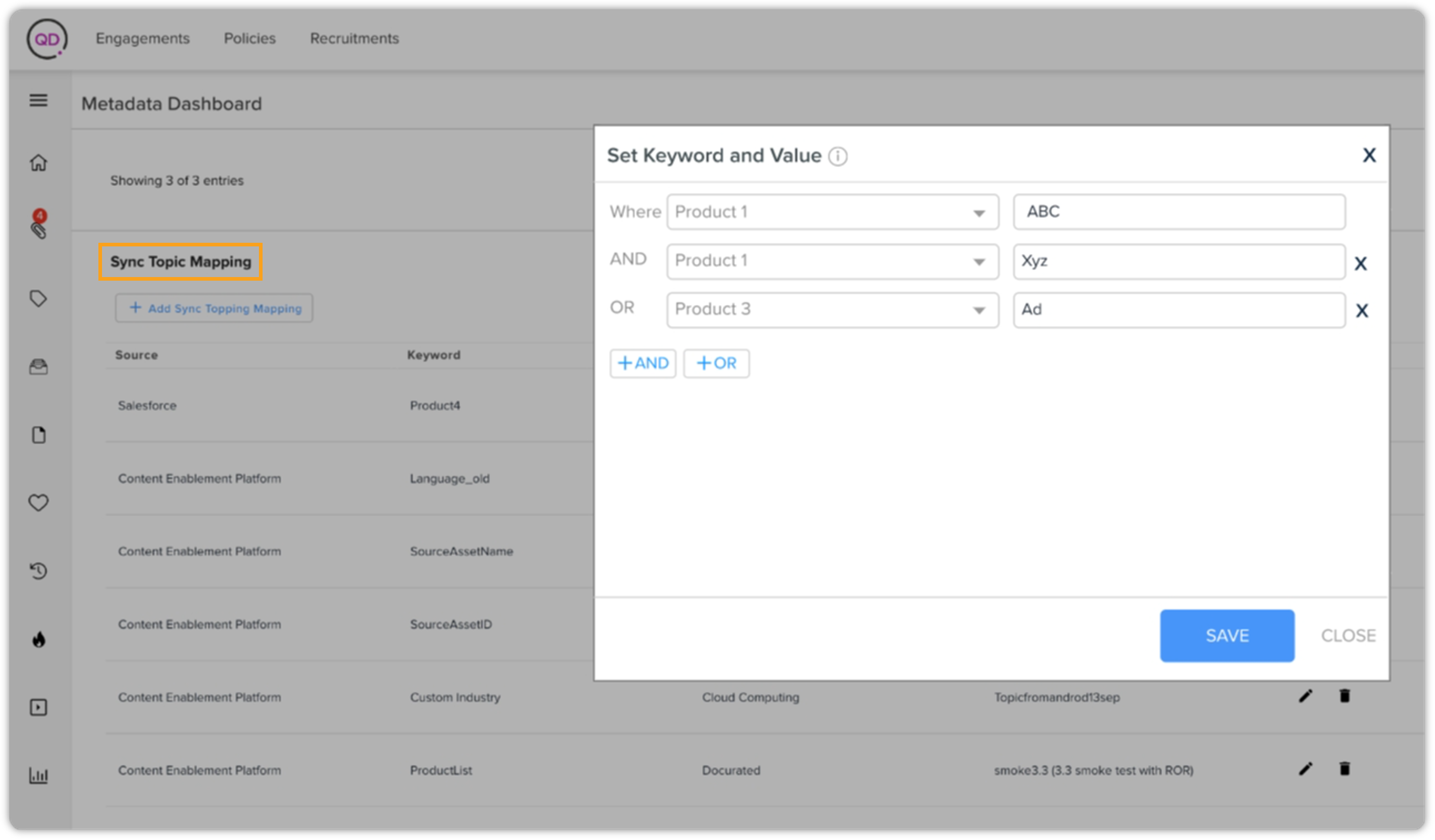
Advanced Mapping Capabilities | UI for Multi-Attribute Item Mapping
Launching a new user interface within the "Sync Topic Mapping" section of the "Metadata Dashboard". This enhancement will allow content curators to map multiple keywords and values based on AND/OR conditions and then mapping to a Topic. The new interface supports more refined mapping criteria, making it more robust to organize and retrieve information based on specific requirements.
-
Intelligent Content Recommendations in Salesforce | Metadata and CIC Rule-Based Suggestions
Implementing a robust content recommendation system leveraging both metadata and CIC rules. The system now suggests relevant content to content managers based on detailed metadata analysis and CIC rules.
Additionally, fallback recommendations are provided based on CIC rules when metadata-based suggestions are unavailable, ensuring users always receive pertinent content. This dual approach enhances the efficiency of finding relevant information and improves the overall user experience.
-
Enhanced Document Management | Tags for Backup Assurance
Introducing the capability to tag original documents directly uploaded and saved from the clipboard. This feature ensures that documents are included in backups even when the source document is no longer available. It will facilitate disaster recovery processes in the event of server failures.
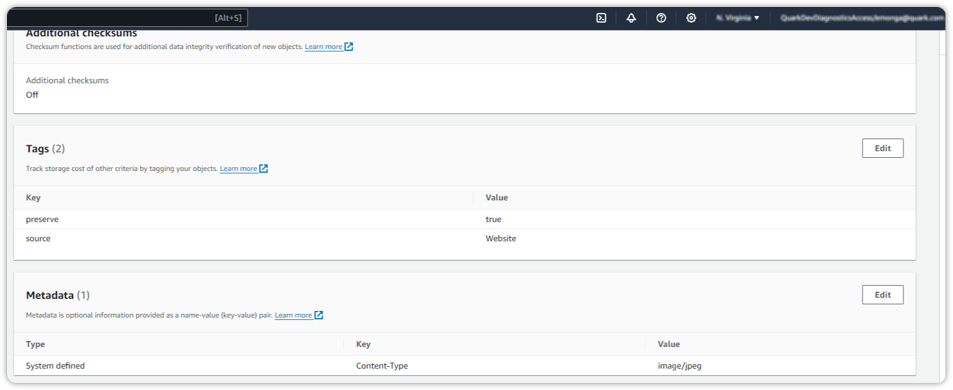 These tags are stored in the AWS S3 bucket and are used for backing up documents whose source is either Docurated or website Upload. Customers won't see these tags in the user interface.
-
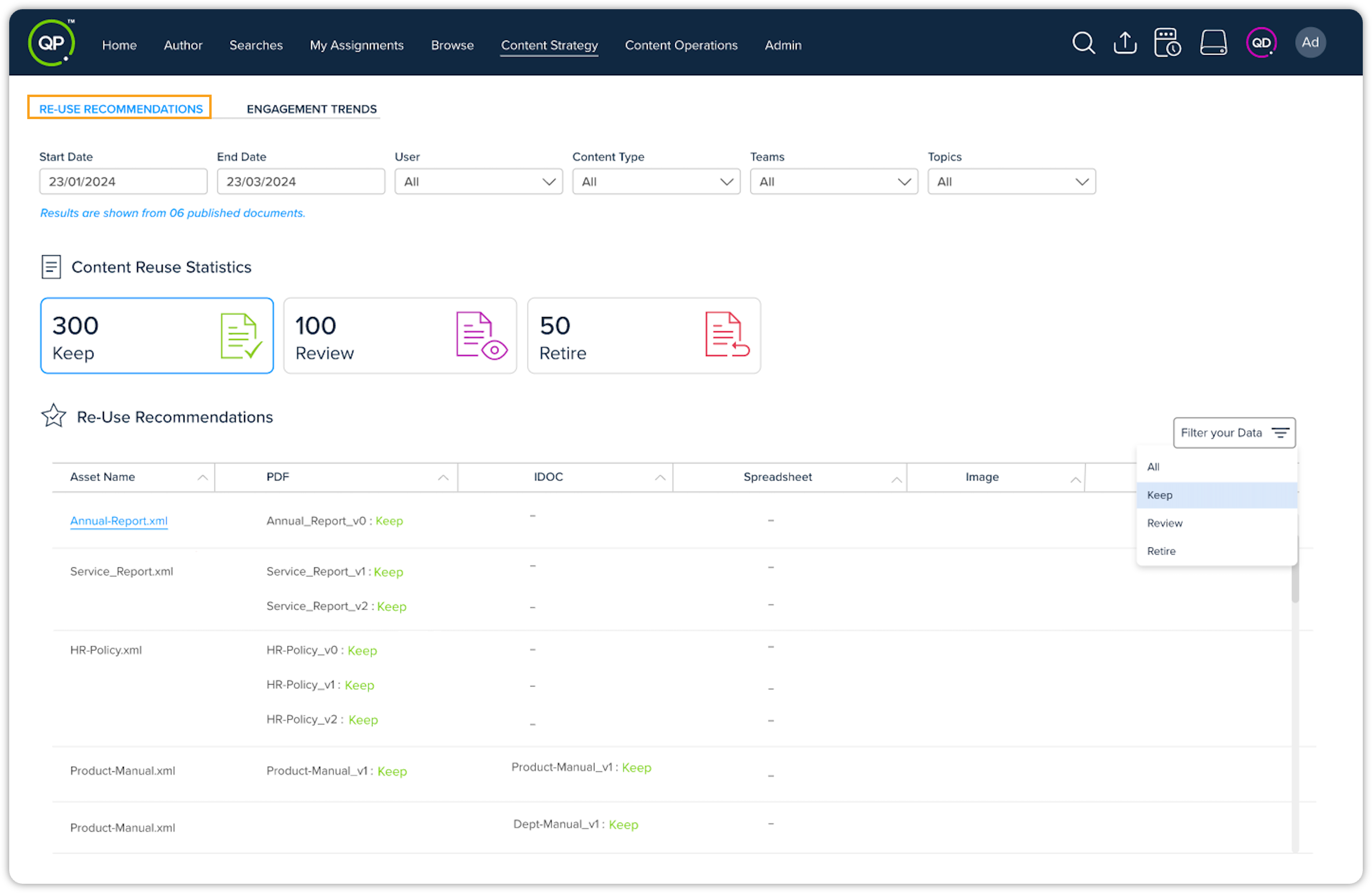
Modernized Reporting | Redesigned Re-Use Recommendations
Updating the Re-Use Recommendations report with a fresh, modern design. The redesign focuses on providing a more intuitive and visually appealing user experience. The updated report now aligns with modern UI standards, making it easier for users to interpret and act on the analytical data fetched from QPP NextGen. This enhancement aims to improve usability and satisfaction for QPP NextGen users.
-
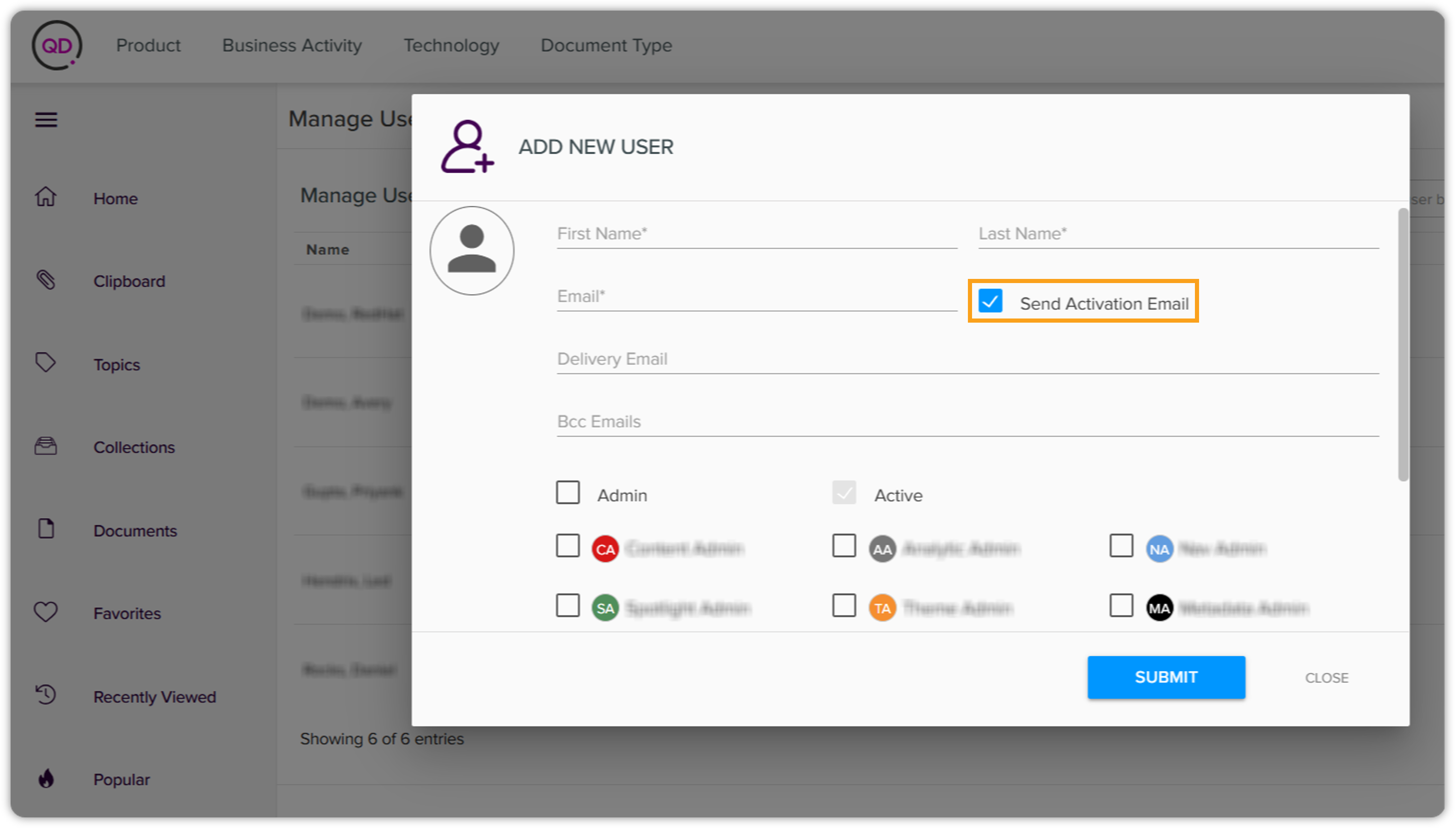
Customizable User Experience | Configurable Account Activation Emails
Adding the capability to configure the automated account activation email process. Docurated admins can now choose whether to send activation emails to new users upon joining. This configurable option allows for a more personalized user onboarding experience, accommodating the specific needs and preferences of different organizations. It ensures that the account activation process aligns with organizational policies and enhances user management flexibility.
-
Seamless Navigation | Improved Document View Return Navigation
Enhancing the navigation flow for document views. After closing a full-window document view, you'll be now redirected back to your previous page instead of the homepage. This improvement ensures a seamless transition and continuity in the user workflow, allowing users to resume their tasks without unnecessary interruptions. It enhances the overall efficiency and user experience within the platform.
Resolved Issues
-
Presentation (PPT) Download Issue Resolved | Proper File Extension for Downloads
-
Issue: Users reported that the presentation files downloaded using the new download feature were missing the .PPTX extension.
-
Resolution: Our team investigated and successfully resolved this issue. Presentation files will now be downloaded with the correct .PPTX extension, ensuring they open seamlessly in presentation software. This fix addresses the inconvenience faced by users, enhancing the reliability and usability of the download feature. Users can now download presentation files with confidence, knowing that they’ll have the proper file extension for immediate use.
-
-
Document Sync Error in SharePoint | Unnecessary Permission Read Disabled
-
Issue: Users experienced a document synchronization issue in SharePoint, encountering an exception at backend with the message: Error reading document permission. This issue occurred because, despite hardcoded permissions being specified in the configuration, the SharePoint connector attempted to read permissions directly from SharePoint.
-
Resolution: The issue has been resolved by disabling the reading of permissions from SharePoint when hardcoded permissions are specified in the configuration. Document sync operations will now proceed without attempting to retrieve permissions from SharePoint, preventing this error from occurring.
-