
Fearless Photo Editing for Designers
QuarkXPress 2027 is professional design and layout software with non-destructive photo editing. Correct, enhance and fine-tune images while your originals stay untouched.
Photos Inside Any Shape
QuarkXPress 2027 Paste Into places images, text or whole groups inside any shape. Watch how masks stay editable as your design evolves.
Every Image Ready for the Spotlight
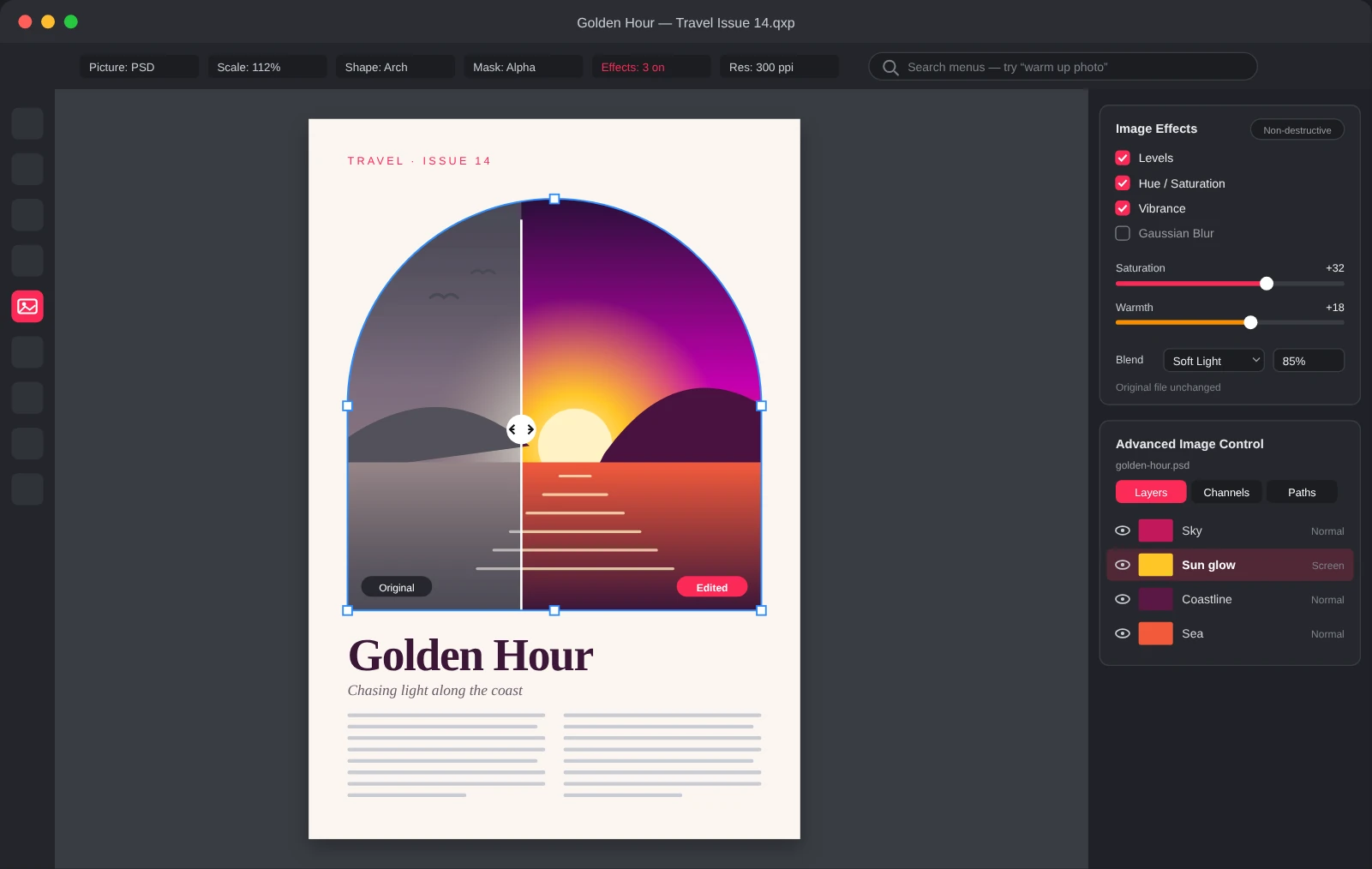
Polish photos where they live, right on the page. These five tools turn good images into standout visuals for print and digital.
Image Effects That Tell a Story
Experiment with image effects and controls to set the mood of every photo. Make your project stand out and draw your audience into the story you want to tell.
Work Right in Photoshop Files
Manage Photoshop layers and channels right in QuarkXPress. Use the best tools for each image without switching apps or flattening your original files.
Every Format Welcome
Import PDF, SVG, EPS and EMF files and convert them into native objects you can edit. Work with the formats you already use in one smooth workflow.
Blend Modes for Bold Looks
Apply blend modes to any number of vectors and images. Experiment with confidence to make your designs more dynamic and get exactly the look you want.
Reveal What Matters with Masks
Show only what you need with alpha channels and clipping paths. Guide your audience’s attention to the most important details in every image.
QuarkXPress 2027 Features
Ready for the Latest macOS and Windows
QuarkXPress 2027 is certified for macOS Golden Gate, with continued support for Windows 11, so an operating system update doesn’t become a production detour.
Organize Colors with Color Groups
Organize colors into named, searchable sets, then move or duplicate swatches as your project evolves.
Stop Hunting Through Menus
Type what you need in your own words and get the menu path, short steps and a one-click way to open the feature.
Work Inside Shapes with Paste Into
Place text, images or entire groups inside any shape, with nested containers, proportional scaling and masks you can keep editing.
Create Consistent Lists with Bullets & Numbering
New Circle and Dash bullet styles and more reliable continued numbering keep long documents in line.
Power Through Projects with Fewer Slowdowns
Dozens of stability, performance and output improvements, from more reliable PDF exports to stronger auto-backup.
Great Images Start Here
Find fresh ideas for color, light and composition that make every photo feel finished.
Subscription License
Use the software, with upgrades, updates and technical support, for as long as your subscription is active. Prepaid subscriptions renew automatically, for 12 month terms.
Perpetual License
Includes one year of Maintenance and Support, entitling you to upgrades, updates and technical support. Maintenance and support plans renew automatically for USD
