
Digital Publishing Without a Line of Code
QuarkXPress 2027 is professional design software for print and digital publishing. Share your stories on every screen, from websites and e-books to mobile apps.
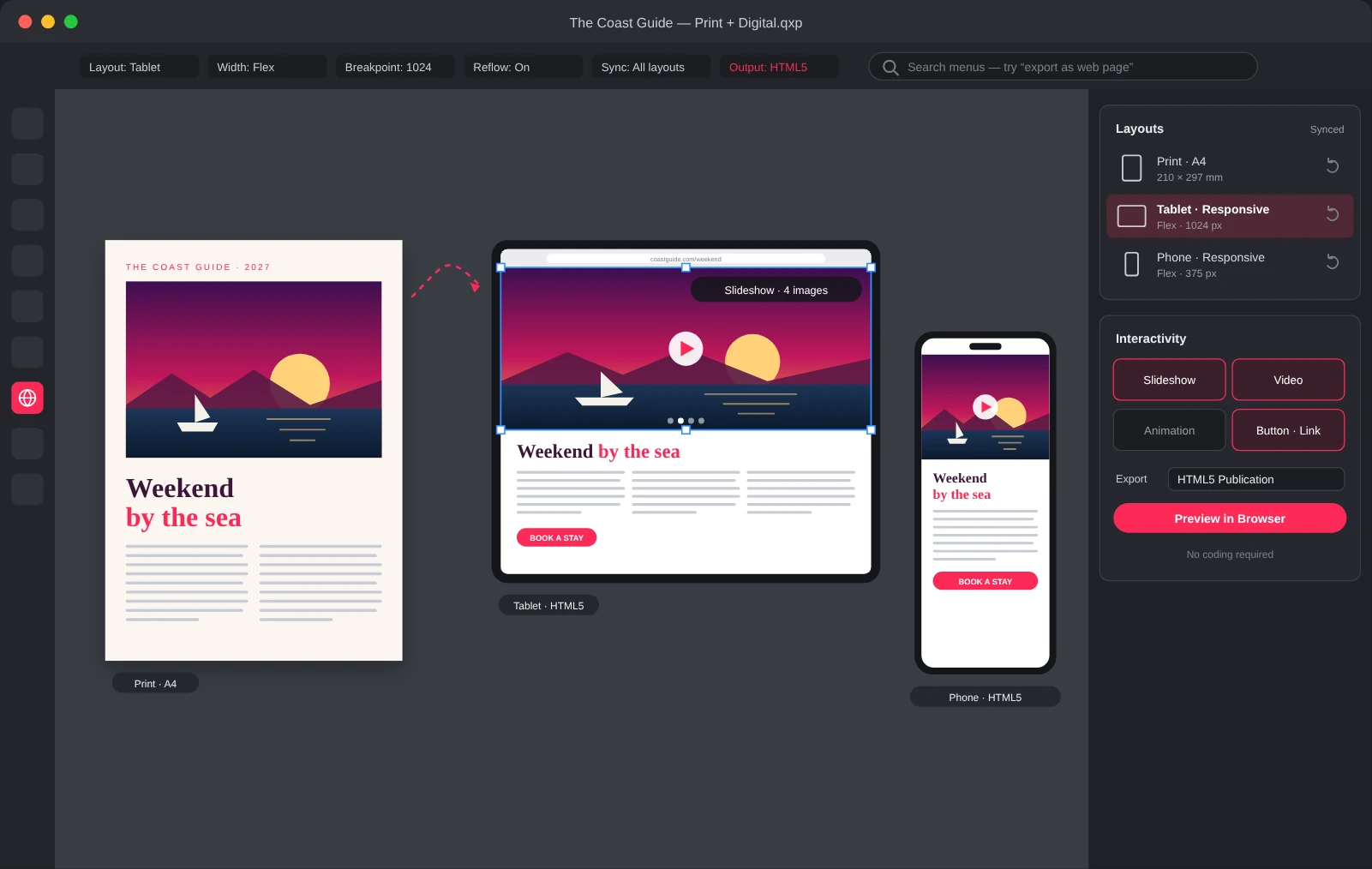
One Project with Endless Destinations
Turn print designs into responsive websites and interactive experiences. Add slideshows, video and animation to keep readers engaged.
One-Click Web Pages
Export any QuarkXPress document as an HTML web page in a single click. Your content adapts to laptops, tablets and phones so it looks right on every screen.
Responsive Flex Layouts
Create responsive HTML5 flex websites with ready-made page builder templates. Build consistent layouts that adapt to any screen size as you design.
Preview in Your Browser
Open your work in the browser of your choice for an instant preview. Test changes across sections fast and keep every part of your project in sync.
Engage Readers with Multimedia
Add videos, slideshows and animations to share your ideas in a visual, engaging way. Give readers a richer experience than print alone can offer.
Publish E-Books and Apps
Produce reflowable and fixed-layout e-books, Android and iOS apps and HTML publications. Reach readers on every device from the same project you send to print.
QuarkXPress 2027 Features
Ready for the Latest macOS and Windows
QuarkXPress 2027 is certified for macOS Golden Gate, with continued support for Windows 11, so an operating system update doesn’t become a production detour.
Organize Colors with Color Groups
Organize colors into named, searchable sets, then move or duplicate swatches as your project evolves.
Stop Hunting Through Menus
Type what you need in your own words and get the menu path, short steps and a one-click way to open the feature.
Work Inside Shapes with Paste Into
Place text, images or entire groups inside any shape, with nested containers, proportional scaling and masks you can keep editing.
Create Consistent Lists with Bullets & Numbering
New Circle and Dash bullet styles and more reliable continued numbering keep long documents in line.
Power Through Projects with Fewer Slowdowns
Dozens of stability, performance and output improvements, from more reliable PDF exports to stronger auto-backup.
Great Digital Stories Start Here
Discover how publishers and designers turn print into online experiences readers keep coming back to.
Subscription License
Use the software, with upgrades, updates and technical support, for as long as your subscription is active. Prepaid subscriptions renew automatically, for 12 month terms.
Perpetual License
Includes one year of Maintenance and Support, entitling you to upgrades, updates and technical support. Maintenance and support plans renew automatically for USD
